Cursor for Large Codebases: A Smarter Way to Scale

Cursor for large codebases feels great right up until you ask it to trace something real. Then it starts missing middleware, old shared services, or the one package that quietly breaks everything.
What matters is not more prompt text. You need the right context: live dependencies, module boundaries, and a clean read on what code is still actually in play (this is where teams usually get burned).
A few things worth getting straight before you trust the output:
- Bad indexing poisons good prompts faster than most teams realize
- Multi file edits are safer when you map blast radius before asking for code
- Dead code and duplicate paths will drag the model toward the wrong implementation
Read this and you'll make fewer blind changes.
Start With the Failure Mode Teams Already Recognize
You ask Cursor to explain an auth flow in a large TypeScript monolith. It gives you a clean answer. It also misses the middleware chain, the shared token service in another package, and the fallback path still used by one legacy route group.
That gap is the whole problem.
On small projects, Cursor feels sharp because most of the relevant code is close by. On enterprise codebases, teams get speed on isolated edits and hesitation everywhere else. You can ask it to rename a function or patch a local bug with confidence. Ask for a multi-file change and the mood changes fast. People start wondering what it didn't see.
We see the same pattern over and over:
- feature work creates duplicate logic because an existing service never surfaced
- refactors miss indirect imports or shared utilities
- prompts burn 20K to 40K tokens on file dumps and still skip the one dependency chain that matters
- PR review help stays local to a file and says very little about system impact
The issue isn't only model quality. It's incomplete architectural context.
Large-codebase AI failures usually start before the first edit.
Cursor for large codebases works when the system is legible. If the assistant sees a pile of files, it guesses. If it sees the dependency structure, it can actually help.
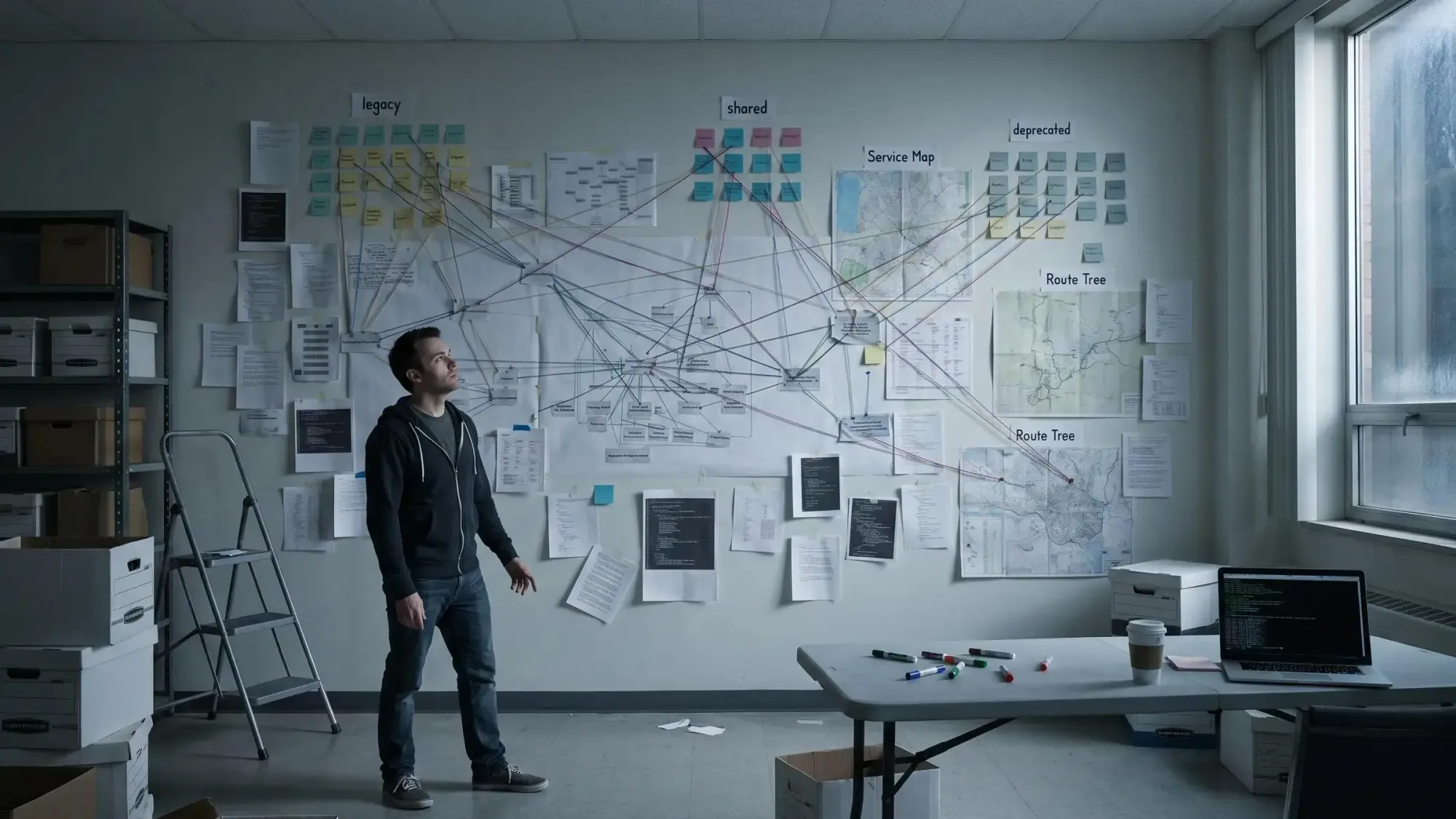
What Changes When You Use Cursor on a Large Codebase
For this article, "large" means the codebase has real shape and history. Multi-module apps. Monorepos. Enterprise services with deep service layers. Older systems with deprecated modules still sitting beside live ones.
The small-project experience doesn't carry over cleanly. On a small repo, more of the relevant logic can fit in context at once. On a large repo, the assistant samples fragments and infers the rest. Sometimes that works. Often it doesn't.
This is where cursor context limits stop being an abstract spec and become an operating constraint. Even if context windows get larger, understanding still depends on retrieval quality and whether the agent is looking at the right files in the first place.
The scaling symptoms are familiar:
- indexing slows down as repositories grow
- responses reference stale or deprecated areas
- suggestions copy outdated patterns
- multi-file changes feel less trustworthy unless you tightly scope them
You can't prompt your way out of all of that. You have to work with the constraints you actually have.
Why Cursor Struggles at Scale
Cursor is usually strong at local edits. System comprehension is harder.
The reasons are concrete:
- context windows are finite
- semantic search depends on indexing quality
- architecture is often implicit, not documented
- dead code and deprecated modules add noise
- hidden dependencies are spread across files, packages, and sometimes repos
Using Cursor with multi module apps is not just a prompting problem. It's an information architecture problem.
Semantic search helps a lot when it's working well. But large repositories can take a long time to process if handled naively, and search quality doesn't become useful until enough of the workspace has been indexed. Until then, the assistant can sound confident while operating on partial retrieval. That's a bad mix.
The key point is simple: AI mistakes in large systems are usually predictable. Missing architecture. Stale retrieval. Prompts that are too broad. None of that is random.
The Four Problems You Need to Solve Before Asking for Big Changes
Before any refactor, feature addition, or migration, you need four things to be true. Most teams only check one or two.
- Find the right code
If retrieval starts in the wrong module, everything after that is off by one. - Understand dependencies
You need to know who calls this, what it imports, and what contracts it depends on. - Estimate blast radius
Review and test scope are guesses until you know what else the change touches. - Separate live code from dead or duplicate code
If obsolete paths look active, the assistant will happily repeat old architecture.
These problems connect. Wrong retrieval leads to wrong dependency analysis. Unknown blast radius leads to shallow review. Dead code in the context leads to stale patterns in the output.
This is the missing layer between autocomplete and trustworthy AI-assisted engineering.
One way to solve that layer is with a codebase graph. At Pharaoh, we map software architecture into a knowledge graph so AI assistants can reason about dependencies, existing code, blast radius, and dead code before edits are made. Not because graphs are fashionable. Because large systems need structure.
What Good Teams Do Today With Cursor for Large Codebases
The teams getting solid results aren't asking Cursor to "build the feature." They're operating it like an informed assistant.
Their working model usually looks like this:
- narrow prompts to one bounded task
- point the assistant to specific packages and files
- document conventions the model can't infer
- review system impact manually before accepting edits
Rule files matter more than people expect. Domain knowledge is often invisible in code. The model won't infer where routes, controllers, schemas, and middleware belong if your project has local conventions or exceptions.
Rules worth writing down:
- endpoint creation steps
- auth middleware requirements
- error response format
- naming conventions for handlers, DTOs, and tests
A blunt example helps. "Add a user export endpoint" is a bad prompt in a big system. A better one is: "In packages/api, follow the existing report export pattern from modules/billing. Route in routes.ts, controller in controllers/export.ts, require [RequireOrgAuth](https://pharaoh.so/blog/function-search-across-codebase/), and preserve the standard error response shape."
That works because you're telling the assistant where to look and what patterns not to violate.
Still, manual rules and careful prompts don't solve hidden dependency graphs. They reduce risk. They don't erase it.
Cursor Monorepo Tips That Actually Reduce Risk
Monorepos amplify every weakness. More packages. More historical code. More generated output. More irrelevant retrieval.
If you're looking for real cursor monorepo tips, start with indexing discipline before you even open the workspace.
Exclude noise:
- dependency folders
- build artifacts
- generated output
- coverage
- source maps
- large binaries
Do not exclude source code, tests, or config files the assistant needs for reasoning. We've seen teams get indexing fast by hiding half the truth. Speed went up. Edit quality went down.
A healthy indexing strategy looks like this:
Include: apps/*, packages/*, shared/*, tests/*, *.json, *.yamlExclude: node_modules, dist, build, coverage, .next, generated, *.mapA bad one looks like this:
Include: apps/api onlyExclude: packages/shared, tests, configs, schemasThat second setup feels tidy until the assistant misses the shared types, test contracts, and runtime configuration that actually define behavior.
If possible, open specific packages or workspace roots instead of the entire monorepo. Multi-root workspace setup helps here. Narrow indexing improves speed and relevance. Go too far and you hide real dependencies. That's the tradeoff.
Using Cursor With Multi Module Apps Without Getting Lost
The common failure pattern is subtle. Cursor changes one module correctly, but misses the contracts, shared utilities, or downstream consumers in adjacent modules.
The fix is procedural.
Use this workflow when using Cursor with multi module apps:
- Define the module boundary.
- Identify upstream and downstream dependencies.
- Gather representative files from each side of the boundary.
- Ask Cursor for a scoped plan before asking for edits.
- Make one module-aware change at a time.
Ask relationship questions first:
- where is this service called?
- what modules import this type?
- what tests would be affected?
- what existing implementation already solves part of this request?
A simple prompt template helps:
Analyzemodules/auth/session-service.tsin relation tomodules/apiandmodules/web. List upstream callers, downstream consumers, shared contracts, affected tests, and any existing implementation I should reuse before editing.
That extra planning step prevents a lot of duplicate abstractions. It also forces the assistant to prove it sees the shape of the change before touching code.
Indexing Is Not a Detail - It Is a Prerequisite
Indexing quality sits upstream of answer quality. If the index is stale or partial, retrieval is stale or partial. Everything after that inherits the flaw.
Semantic search is one of the biggest drivers of agent performance, and one referenced evaluation found a 12.5% average improvement in response accuracy when it was working well. That's not a small bump. It's often the difference between "useful draft" and "confident wrong answer."
Under the hood, the mechanics are straightforward:
- files are hashed and compared incrementally
- only changed branches of the file tree need syncing
- files are chunked for embeddings
- unchanged chunks can be reused from cache
Large repositories can still take hours to index if handled naively. Semantic search also isn't available until most of that work is done.
Check indexing status before trusting broad search results. Re-index after major branch switches or large merges. If retrieval confidence feels low, narrow the task. Don't just press harder and hope.
The Limits of Prompting Around Cursor Context Limits
Better prompts help. They do not remove the core bottleneck when the relevant architecture spans more files than can reasonably fit.
There are two ways teams usually respond to cursor context limits:
- stuff the prompt with huge file dumps
- retrieve structured context about the system
The first approach burns tokens and often makes the model worse. Irrelevant files crowd out the key ones. Budgets disappear into setup. The assistant starts pattern-matching against noise instead of reasoning about dependencies.
Context should be selected, not just increased.
For a large-codebase task, the useful context usually includes:
- the target files
- the nearest dependency chain
- one or two canonical implementations
- tests or contracts that define expected behavior
- architecture notes that aren't inferable from code
The goal is not to make Cursor see everything. The goal is to make it see the right things.
Why Architectural Context Beats Bigger Context Windows
This is the core argument.
Architectural context means the assistant can access dependency relationships, call paths, ownership boundaries, blast radius, duplicate patterns, and dead code signals. That's more useful than raw file access because developers rarely need every file. They need the map of what matters for the change.
A knowledge graph is one practical way to provide that map. Instead of reading fragments and guessing relationships, the assistant starts from known connections across the codebase.
At Pharaoh, we use that model so AI coding assistants can understand dependencies, blast radius, existing code, and dead code before making changes. This is especially useful in refactoring sprints, monorepo migrations, and change planning in older enterprise systems.
Most AI coding failures in large systems happen before code generation, during context selection and system understanding. That's the part teams keep underestimating.
A Safer Workflow for AI-Assisted Changes in Enterprise Codebases
For cursor on enterprise codebases, a safer workflow is boring in the right way. That's a compliment.
Try this sequence:
- Define the change precisely.
- Map affected modules or packages.
- Identify existing implementations and conventions.
- Surface dependency and blast-radius data.
- Ask for a plan before edits.
- Make bounded edits.
- Review tests, contracts, and affected consumers.
- Verify no dead or duplicate paths were introduced.
A risky but common example is updating auth middleware shared across modules. One local edit can affect API routes, background jobs, admin tools, and test helpers. Cursor may patch the middleware correctly and still miss one consumer path that bypasses the normal route stack.
In practice, teams often use Claude Code for exploration, Cursor for bounded implementation, and PR review for blast-radius validation. Human review should focus less on syntax and more on system impact once AI starts drafting code well.
Multi-File Edits: Where Cursor Helps and Where You Should Be Skeptical
Cursor has improved on coordinated multi-file edits. We should give it credit for that.
It tends to do well on:
- predictable, pattern-based refactors
- import path migrations
- variable or function renames across many files
- adding wrappers to repeated call sites
Those are easier because the pattern is stable, the dependency shape is easier to infer, and validation is mostly mechanical.
Be more skeptical when the change crosses service boundaries, touches duplicate implementations, lives inside partially deprecated systems, or depends on production behavior that tests don't capture well.
The real question isn't whether Cursor can edit 50 files. It's whether it understands why those 50 files are connected.
Common Mistakes That Make Cursor Worse on Large Codebases
Most failures come from operating mistakes, not some mystery flaw in the model.
Here are the big ones:
- opening the whole repo and hoping retrieval figures it out
- excluding too little and flooding the index with junk
- excluding too much and hiding important source relationships
- asking for end-to-end features instead of scoped changes
- failing to document conventions and non-obvious workflows
- trusting stale modules because they were retrieved first
- treating generated code and active code as equally relevant
- reviewing edits file by file without checking system impact
The costs are predictable: slower indexing, noisier retrieval, duplicated abstractions, regressions outside the edited module, and false confidence in output.
Dead code deserves its own warning. If the assistant can't distinguish live paths from dead ones, it can faithfully expand the wrong architecture.
How to Know When You Need a Codebase Graph Instead of Better Prompts
Sometimes prompting discipline is enough. Sometimes it clearly isn't.
You probably need a codebase graph when:
- teams keep re-explaining architecture in every session
- the assistant duplicates existing functionality
- refactors keep missing downstream dependencies
- developers can't confidently answer what else a change touches
- deprecated modules keep surfacing in suggestions
A codebase graph adds persistent structure across sessions. It gives explicit dependency understanding, blast-radius visibility, and better detection of dead code and duplicate patterns.
Pharaoh is one option here. A codebase graph can be exposed to AI assistants through MCP so architecture becomes queryable during planning and implementation. If you're working across multi-repo systems or large monoliths, that's often where the value shows up first.
This doesn't replace IDE search, docs, or tests. It adds the structural layer those tools don't provide on their own.
A Practical Playbook You Can Apply This Week
If you want better results next week, do less and prepare better.
Start here:
- clean up indexing exclusions before your next large-repo session
- create rule files for domain workflows and naming conventions
- stop asking for broad features and start with dependency mapping prompts
- pick one risky workflow like auth, billing, or shared API clients and document the canonical path
- test a module-scoped workflow in Cursor with explicit dependency files included
- if you keep hitting architecture blind spots, try a codebase graph through MCP - Pharaoh does this automatically at pharaoh.so
Four prompts worth saving:
- Explain dependency path
Trace the dependency path for auth token validation from route entry to shared service and list middleware, utilities, and downstream consumers. - Estimate blast radius
If we change the error shape in packages/api/auth, what modules, tests, and client contracts are likely affected? - Find existing implementation
Before creating new retry logic, find existing retry handling in this repo and compare the closest reusable implementation. - Identify dead or duplicate code
Related to this proposed billing change, identify duplicate implementations or code paths with no active callers.
If you're working on quality gates around AI-assisted changes, the open source AI Code Quality Framework covers the linting and testing side of this at github.com/0xUXDesign/ai-code-quality-framework.
The goal isn't maximum automation. It's fewer blind changes and better engineering judgment.
Conclusion
Cursor for large codebases gets safer and more useful when you stop treating scale as a prompting problem alone and start treating it as an architecture visibility problem.
The practical pillars are clear:
- cleaner indexing
- scoped tasks
- explicit rules
- module-aware workflows
- architectural context before edits
Pick one upcoming multi-file change and map the dependencies first. Then compare Cursor's plan before and after adding that context. The difference is usually obvious by the second pass.
If you're already using Claude Code or another MCP client, adding a codebase graph is one of the fastest ways to test whether better architecture visibility changes the quality of AI assistance.