8 Powerful Ways to Function Search Across Codebase Efficiently
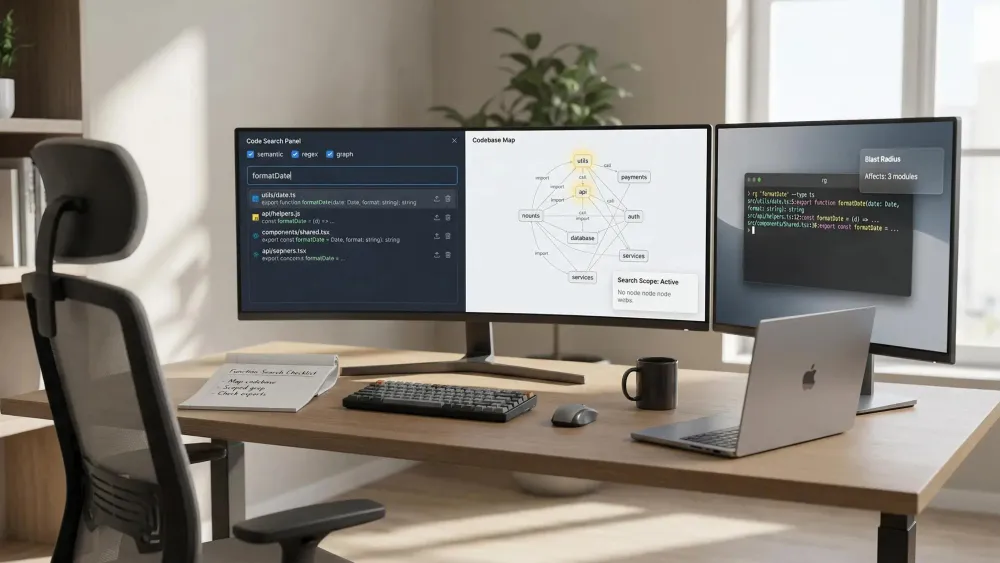
Function search across codebase shouldn’t feel like gambling with your time or tokens.
If you use AI agents to write and manage code, duplicate functions and broken imports waste hours and create headaches.
We set out to surface the eight most effective strategies for searching, validating, and reusing functions at scale—specifically for developers working with complex, AI-augmented repositories. Get practical, deterministic answers every developer and agent can trust.
1. Pharaoh search_functions via MCP Knowledge Graph
Function search across your codebase should never feel like trial and error. You need real context, fast answers, and zero wasted effort. That’s where Pharaoh’s search_functions tool, built on a Neo4j Knowledge Graph and powered by Model Context Protocol (MCP), takes over. Our system parses your full repo with tree-sitter and gives you a fully mapped, queryable graph—no LLM guessing, no ambiguity, and no extra token costs once mapped.
Top ways Pharaoh search_functions solves real pain points:
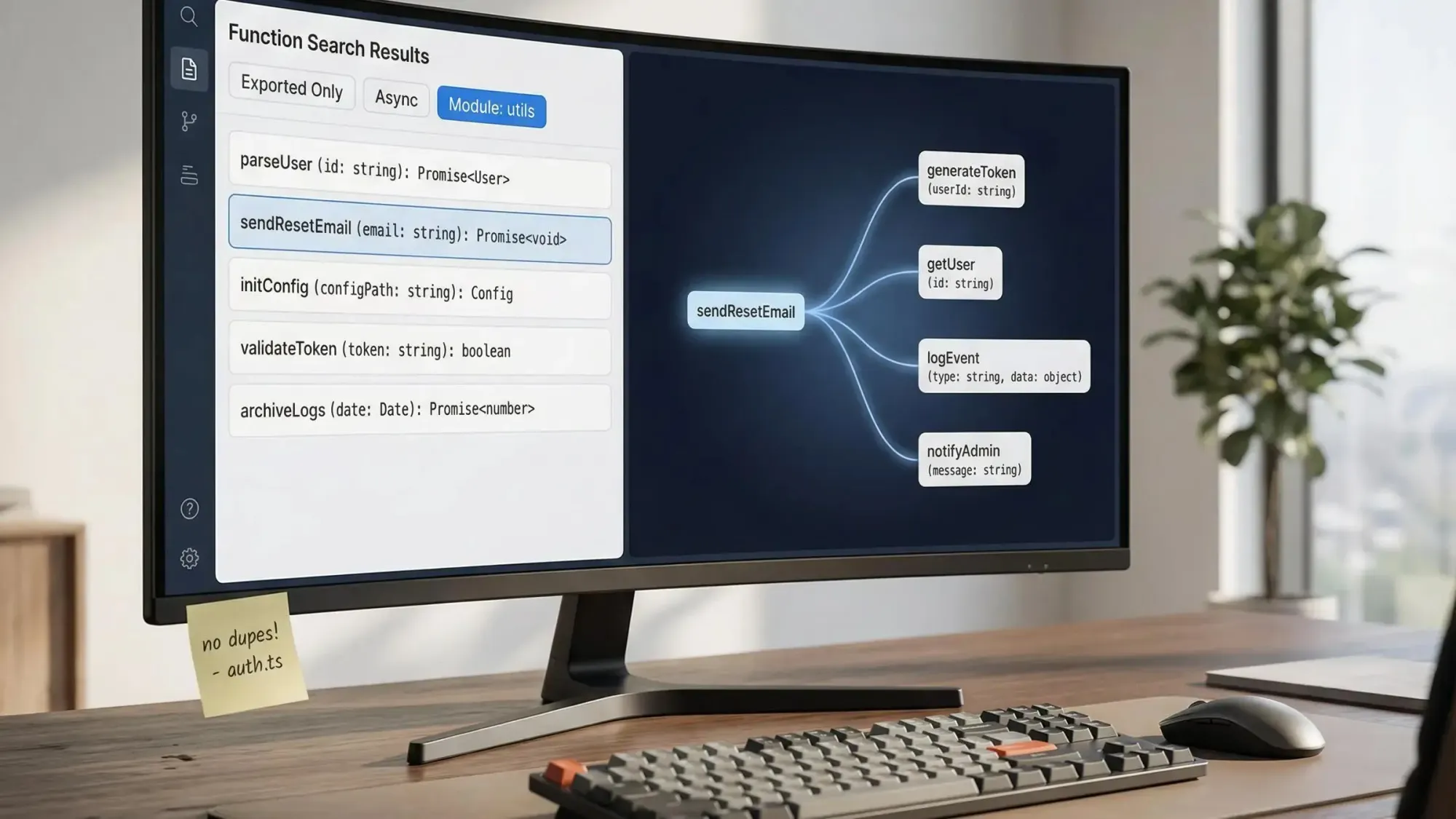
- Deterministic, precise results: Get exact functions, file paths, line numbers, export status, module origin, async flag, complexity, and signatures. Always see the same answer, whether you or your AI agent are searching.
- No inference cost per query: Search as often as you want. There’s no token burn or API wait—once mapped, responses are instant.
- Native across your stack: Works directly in Claude, Cursor, and Windsurf via Model Context Protocol SSE. Your agents use it behind the scenes to prevent accidental duplications.
- Smart filters: Restrict to
exported_onlyfunctions, target specific modules, or zero in on Async functions to keep your results laser-focused. - Handles re-exports, barrels, and indirection: Unlike raw text search, Pharaoh resolves actual import paths, detects all aliases, and traces through index files that would otherwise hide functionalities.
- Real-world moments: Before adding utility code, during helper consolidation, or anytime agent-written logic overlaps existing helpers or endpoints.
Structured function search with a codebase graph is the single biggest efficiency unlock for code-aware AI teams.
If you want control, speed, and clarity, Pharaoh search_functions is your starting point for every function search across codebase. Don’t settle for grep when you can get a living architectural index you and your agents can trust.
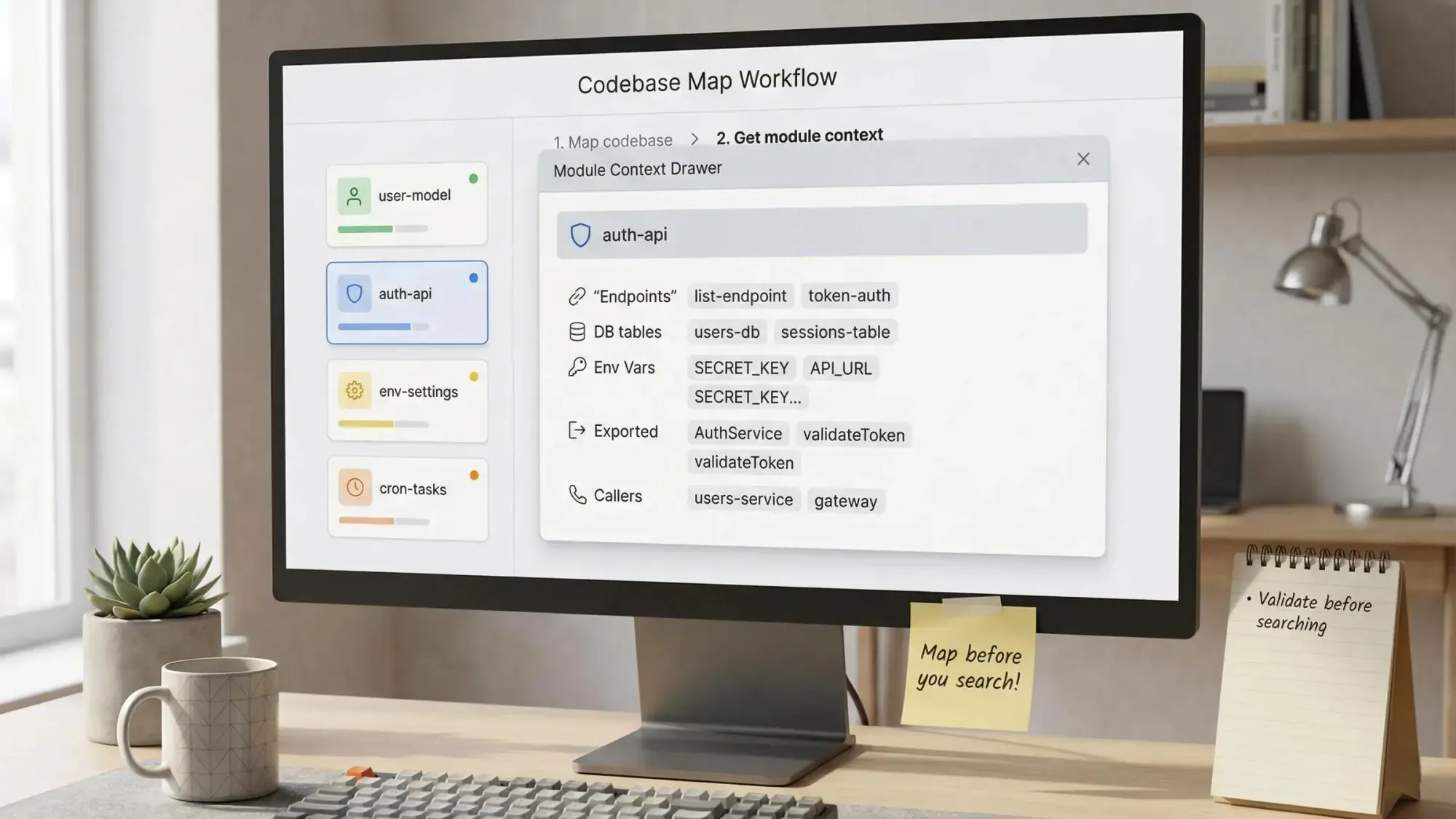
2. Map First, Then Search with get_codebase_map and get_module_context
Effective function search starts with scoping. Instead of wandering through random files, map your codebase’s structure first. Our get_codebase_map tool surfaces your modules, dependency links, endpoints, file weights, and more. This gives you a high-level view to focus every search and spot where real complexity lives.
Why map before you search?
- Visualize module relationships: See inbound and outbound dependencies, hot files, entrypoints, and how your modules connect.
- Reveal context at a glance:
get_module_contextproduces a full profile: signatures, DB access, endpoints, dependencies, exported-only status, cron jobs, env vars, and external callers in under 2,000 tokens. - Zero in on the right file: Jump straight to likely source spots instead of guessing or chasing file names.
- Cut noise, save tokens: Replace endless scanning with a few focused graph calls—agents and humans both save time and cognitive load.
- Pro workflow example: Start by mapping the repo after every PR. Use module context to validate whether a function already exists and check who relies on it before refactoring.
Block out the guesswork by always mapping first. Your refactor and PR workflows will move faster and break less.
3. Cursor Agent Semantic Search plus Instant Grep
Semantic search is your go-to when you know what a function does, but not what it’s called, or when you want to catch similar logic under different labels. Cursor’s agent indexes every meaningful chunk—functions, logic blocks, the works—so you can use plain English queries like “normalize dates” and actually see relevant code, not random matches.
Where Cursor semantic search stands out:
- Finds functionally similar code even with different names or locations. Avoids surface-level matches and brings related logic to light.
- Blends semantic search and instant grep for higher recall on large projects. Start with a pattern or natural language, then filter with regex if you have a good guess.
- Automatic background indexing keeps results fresh and highly relevant, so even in fast-moving repos, you see up-to-date answers.
- Use workspace filters and ignore files to focus only on your live modules—skip vendor, legacy, and noise.
- Always validate imports and signatures before adopting candidate code, since NLP search might surface concepts from adjacent modules.
Semantic search saves you when you aren’t sure what to look for—or when you want a second opinion the agent can justify.
4. Claude Code Glob, Grep, Read, and Tool Search for MCP-aware Discovery
For local navigation or tactical searches, classic tools still play a central role. Claude Code combines Glob for file patterns, Grep for content matches, and Read for instant file peeks. With multi-step orchestration via Explore agents, your work stays focused, fast, and context-aware.
Best practices for Claude Code users:
- Use Glob and Grep to anchor file candidates quickly. If several files match, fzf-like narrowing gives you clarity.
- Read pulls in just enough context without loading your tokens with full file pulls.
- When your codebase has MCP or other structural tools, Tool Search routes complex tasks to your knowledge graph. This massively reduces time spent combing through directories.
- For function search across codebase, combine direct file search for signatures with MCP-backed discovery when verifying imports, reachability, or refactor impact.
- Add a Pharaoh MCP endpoint to Claude Code and skip file-by-file crawling. Let your AI agent ask the repo graph straight-up: does this function exist, and which modules use it?
A blend of pattern, protocol, and creative searching keeps your repo open, organized, and easy for agents to traverse.
5. Sourcegraph Cody for Enterprise-scale, Multi-repository Function Search
Some teams operate across several repositories or ship dozens of shared libraries. Function search across codebase gets harder when definitions and consumers live in different places. Here, solutions like Sourcegraph Cody enable search at scale, pulling in cross-repo definitions, callers, and relationships so you see the big picture.
When to use a search-first, context-rich tool:
- Cross-repo navigation: See where functions live and who relies on them, even if they sit in a different service or linked utility repo.
- Org-wide audits: Detect duplication, drift, or shadowed helpers across boundaries. Audit technical debt and refactor scope quickly.
- Good for microservice teams: If you’re moving functions between repos or doing code hygiene at scale, large-context tools keep you consistent.
- Pair with knowledge-graph checks: Use Sourcegraph Cody for initial discovery, then validate with graph tools like Pharaoh to check import paths and re-exports.
Seek answers at scale, validate critical paths with structure, and don’t let multi-repo chaos break your agent workflows.
Start your journey with architecture awareness. Your AI agents will build with less risk, tighter code, and better alignment to your real-world product.
6. ripgrep plus fzf plus bat for Blazing-fast Terminal Search
You want raw power and speed? Command line search tools deliver every time. ripgrep (rg), fzf, and bat create a fast lane for precise function search across codebase—especially when you know signature patterns, error codes, or specific phrases.
Use these tools to:
- Find symbols in seconds: ripgrep hunts through your code recursively with smart regex. Target patterns like
async function,def, orexport functionand see results instantly. - Narrow dozens of hits: Pipe results into fzf to interactively filter, so you stop scrolling through endless matches.
- Preview context, skip the editor:
batreturns highlighted code snippets so you inspect hits quickly and decide if they’re relevant—without switching windows. - Eliminate noise: Set strong
.gitignoreor ripgrep ignore lists to dodge node_modules, build artifacts, generated files, and stale code. - Spot indirection pain points: Use structural tools after grep to confirm if that function is re-exported, shadowed, or hidden behind barrels.
The CLI shines for high-speed, targeted searches when you know exactly what you need. It complements agents and graph tools—which is how you get both speed and certainty.
Use CLI tools for fast answers, but always verify with structure before agent-driven edits.
7. VS Code Regex and Multi-line Search for Surgical Refactors
Fast, large-scale changes call for serious search muscle. The VS Code search panel lets you combine regex, multi-line, and capture groups. It’s the shortcut for updating hundreds of functions or imports at once—no scripts needed.
VS Code Regex power moves:
- Find and fix parameter names, import paths, or deprecated patterns across the full repo in a few clicks.
- Use negated sets in patterns to avoid false positives and multi-line options for block refactors.
- Audit all
console.logor owner-tagged TODOs in seconds, so you never miss key cleanup or documentation. - Preview and stage changes, rather than bulk applying. This keeps refactors safe and reviewed.
- Pair with structure: Check blast radius and reachability before sweeping edits, so you know downstream impact.
Do your big cleanup and batch updates here, but validate with graph or MCP tools to keep critical APIs secure.
8. Cross-repo Function Search and Dedup Audits with Pharaoh get_cross_repo_audit
Combining codebases or fighting duplication? Our get_cross_repo_audit delivers cross-repo function search with surgical precision. Perfect for solo founders, early product teams, or anyone merging prototypes into polished production code.
Make cross-repo audits actionable:
- Detect exact, near-exact, and drifted duplicates. See if helpers are copy-pasted or evolved independently.
- Surface parallel consumers and environment overlaps—pinpoint where consolidation gives you quick wins.
- Score candidates: HIGH means copy-paste, MEDIUM reveals forks, LOW flags naming or structure twins. Focus energy where cleanup drives clarity.
- Use follow-up tools like
get_consolidation_opportunitiesand blast radius analysis to plan smart refactors, not risky merges. - Stay light. Our audit leaves your code private and only parses function signatures, structures, and data, not raw source.
Cross-repo audits expose hidden debt and keep your codebase lean for AI-driven growth.
Playbooks, FAQs, and Setup Checklist for Confident Function Search Across Your Codebase
Building a reliable search flow isn’t just about tools—process matters. Set discipline with proven playbooks and reduce mental overhead for both agents and humans.
Proven Playbooks for Better Results
- Task startup: Map your graph, function search across targeted modules, then read the highest-value candidates.
- Safe refactor: Search function, run a blast radius, confirm reachability, edit, then validate again.
- Prevent duplication: Always check existing exports before creating something new. Let consolidation tools flag your overlap.
- Setup checklist: Define scope, commit ignore patterns, prefer module-scoped searches, validate re-exports, and check reachability before merging.
FAQs from Real Teams
- Do we store your full source? No. Only metadata.
- Which languages work best today? TypeScript and Python with full imports, decorators, and API coverage.
- How fresh is the graph? Indexes refresh on every main branch push or anytime you need.
- Where to dig deeper? Find walk-throughs and examples at our blog.
Build trust in your agents: structure every search, limit context burn, and refactor with reachability in mind.
Conclusion
We believe function search across codebase should give you speed and confidence—not extra work. Start with structure, map before you search, and let your agents use MCP tools for answers you can trust. Build on your repo’s real architecture, not chance.
Want the winning playbook? Try Pharaoh free, see the blog for deep dives, and unlock architecture-smart agents for your next codebase.