Code Dependency Graph for Confident AI-Assisted Developers

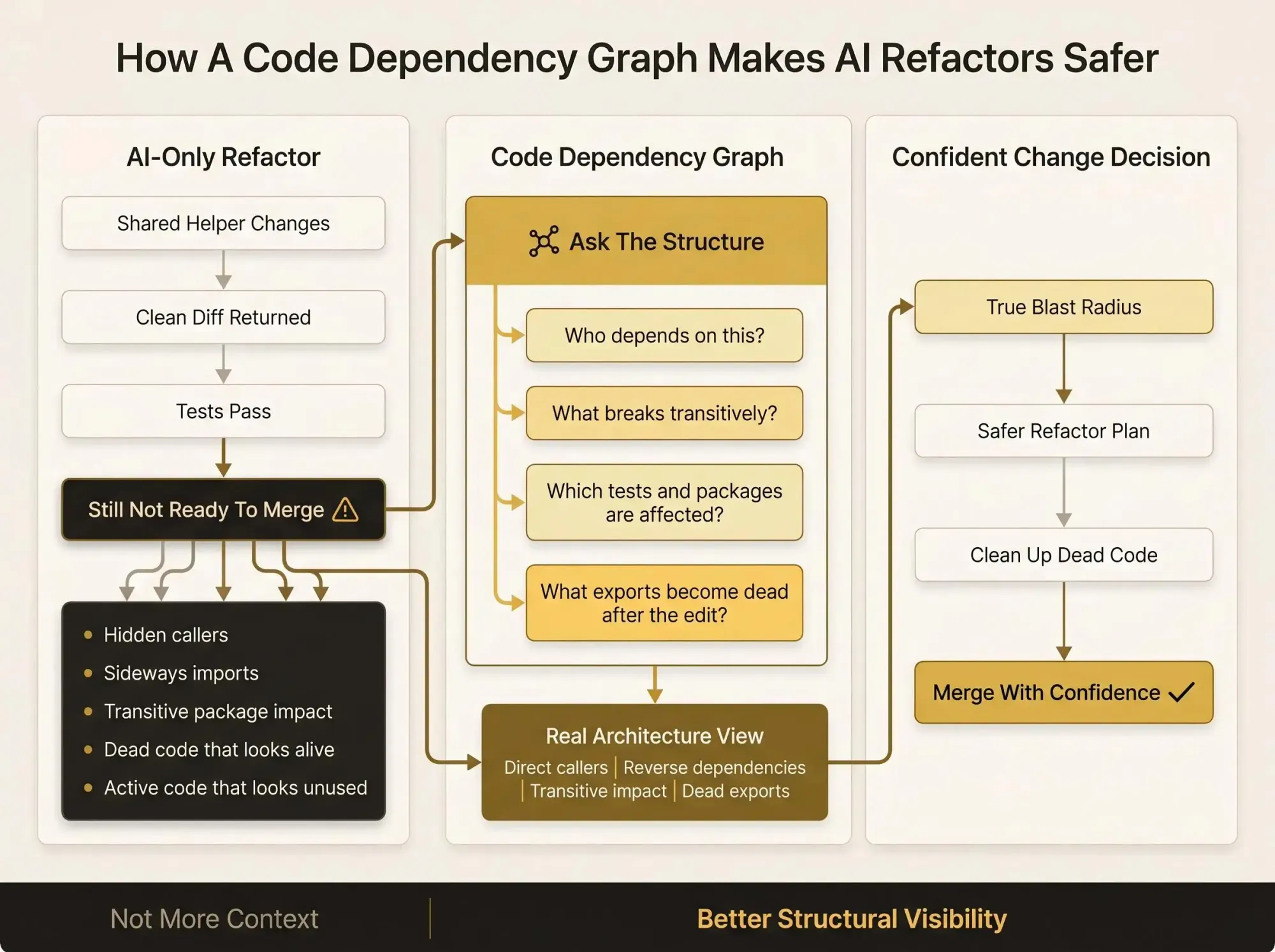
You ask Claude Code for a small refactor, it returns a neat diff, and you still don't merge. That's where a code dependency graph stops being theory and starts saving you from hidden callers, sideways imports, and dead code that only looks alive.
What matters is not more context. It's knowing what actually depends on the thing you're about to change (usually more than you thought).
A few checks change the whole decision:
- Reverse dependencies before touching shared helpers
- Transitive impact across packages, tests, and generated code
- Dead exports after the edit, so you ship the fix without the mess
Why AI-Assisted Development Feels Fast and Risky at the Same Time
You know this workflow already. You ask Claude Code, Cursor, or Codex to refactor a shared helper in a monorepo. The patch comes back clean, tests might even pass, and you still stop before merging because you can't answer one basic question: what else does this helper actually touch?
That tension is the real story. Speed is no longer the bottleneck. Trust is.
Strong engineers feel this too, because the failure mode isn't lack of syntax. It's incomplete structure. The risk usually hides in places the assistant didn't read and you didn't think to open:
- import chains that jump across packages
- callers outside the current module
- dead code that still looks live
- active code that looks unused
- architecture decisions split across app code, tests, configs, routes, and infra glue
This gets worse in multi-module and multi-repo systems. The dependency that matters is often structurally connected but semantically distant. The file names don't look related. The search terms don't line up. The assistant can read more files and still miss the one edge that matters.
We've seen the same pattern over and over: developers don't hesitate because AI is weak. They hesitate because neither human nor assistant can see the real shape of the system at once.
Confidence doesn't come from asking the assistant to read more. It comes from grounding both of you in the architecture that already exists.
What a Code Dependency Graph Actually Is
A code dependency graph is a typed map of relationships in your codebase. It models how files, functions, classes, modules, and other artifacts depend on one another so you can query the system instead of guessing through it.
That matters because a plain dependency list only answers a narrow question. A graph answers paths, reversals, and combinations.
For example:
- a list tells you
billing.tsimportscurrency.ts - a graph lets you ask what calls
formatAmount, which tests cover its callers, and which downstream packages depend on that chain
When people say knowledge graph for codebases, they're usually talking about a broader version of the same idea. That label becomes useful when the graph includes more than source files and more than one kind of relationship. A serious repository knowledge graph can become shared infrastructure for humans, assistants, CI checks, and internal tools.
Common node types in a developer knowledge graph include:
- files and packages
- functions, methods, classes, interfaces, fields, constants
- types
- tests
- routes, models, env vars, message topics, build artifacts
Common edge types include:
- calls
- imports
- implements
- overrides
- references
- data flow links
- cross-repo contract relationships
The practical win is simple. "Who calls this function?" stops being a text search problem and becomes a graph traversal. That's a different class of answer.
Why AI Coding Assistants Need a Graph, Not Just More Context
Large context windows help. They do not remove the navigation problem.
An assistant may be able to fit far more code into memory than a developer can comfortably hold in their head. That still doesn't mean it will focus on the architecturally important files. Hidden dependencies rarely sit in the most keyword-similar results. They sit along real structural paths.
This is where a code graph for developers beats brute force prompting. Retrieval is good at finding nearby concepts. It is not a reliable way to answer structural questions like "what actually depends on this package through three layers of indirection?"
Research on architecture-heavy tasks made this painfully clear. Graph-structured navigation outperformed retrieval-based approaches on hidden dependency work by 23.2 percentage points. When the graph tool was actually used, task success was near perfect. When it was skipped, results dropped back near the no-graph baseline.
That last part matters. Tool presence isn't enough. The assistant has to navigate through the graph, not just have it sitting nearby.
In practice the split looks like this:
- retrieval works when the dependency is easy to find by names or comments
- a code dependency graph matters when the important relationship is structural rather than semantic
The assistant does better when it orients before it edits. So do we.
A Good Graph Model of Software Architecture Is More Than a Call Graph
A lot of developers hear "code graph" and think "call graph." That's useful, but it's too thin.
Call graphs tell you who invokes what. They don't tell the full story of architecture, impact, or dead code. They miss inheritance, type boundaries, test relationships, package seams, config coupling, and plenty of non-call dependencies that still break production when changed.
A better mental model is a graph model of software architecture that stays close to source code while keeping richer meaning intact.
Research on semantic code graphs makes the point well. One semantic graph approach was evaluated against nine other source code representation models and used across 11 open-source Java and Scala projects for software comprehension tasks. The richer structure improved work like understanding project layout, identifying important entities, visualizing dependencies, and spotting code similarities.
That's a strong hint for real teams. If your graph only tells you about direct calls, you'll keep missing the stuff that creates review pain.
Use this test:
- can it show callers and callees
- can it explain imports and reverse imports
- can it model inheritance and interfaces
- can it help with impact and similarity
- can it reveal structure, not just execution hops
If not, the graph is probably too thin to support confident AI-assisted changes.
One more thing. Good graphs don't hide uncertainty. Extracted facts should stay distinct from inferred hints. Unresolved edges should remain visible. Silent omission feels clean right up until it burns a Friday afternoon.
What You Should Be Able to Ask Before Changing Code
Before you edit shared code, you need a small set of structural answers. Not a dashboard. Not a poster. Answers.
Here are the queries that actually change decisions.
Callers, dependencies, and impact
- Who calls this function?
- What does this function call?
- Which of those are direct, and which are transitive?
- What imports this file?
- How does this module depend on adjacent modules?
- What downstream components depend on this package?
Blast radius and cleanup
- What breaks if this file moves?
- Which callers are affected by this diff, not just this file?
- Which exports are no longer consumed?
- Which code paths became unreachable after the refactor?
- Which duplicate helpers can be consolidated?
Structural navigation
- What is the shortest path between these two components?
- Which files or symbols are the most connected?
- Where are the cycles or boundary violations?
A graph should let you ask those directly. For example:
$ graph callers src/shared/formatAmount.ts#formatAmount12 direct callers4 [transitive packages affected](https://[pharaoh](https://pharaoh.so).so/blog/code-change-impact-analysis/)tests: billing.spec.ts, invoices.spec.ts, checkout.spec.tshighest-risk path: checkout -> pricing -> discounts -> formatAmountAnd for a live branch:
$ graph impact --diff HEAD~1..HEADchanged symbols: 3[affected callers](https://pharaoh.so/blog/code-change-blast-radius/): 17dead export candidates after diff: 2cross-module boundary violations introduced: 1That is the difference between "looks safe" and "is probably safe."
How Code Dependency Graphs Are Built in Practice
Under the hood, most systems follow the same basic pipeline. Parse source code into syntax trees or language-specific forms. Extract symbols and relationships. Normalize those facts into a graph. Store it somewhere queryable. Expose it in the places developers already work.
The implementation details vary, but the patterns are familiar:
- tree-sitter based parsing is common in local graph tooling
- graph outputs often include formats like GraphML and gpickle
- SQLite-backed local storage is practical for fast local queries
- graph databases make sense when teams want deeper analysis or reporting
This isn't tied to one language family either. Semantic graph work exists in Java and Scala. Other tooling supports TypeScript, JavaScript, Python, Rust, Go, Haskell, and ReScript.
Granularity matters more than people expect. File-level analysis gets you orientation fast. Function-level detail is where refactors become safer. Type and interface relationships are where architecture starts making sense again, especially in larger systems.
Local-first analysis matters too. Many teams don't want indexing to depend on network calls. Privacy concerns are real. So is latency. If the graph takes long enough to query that nobody uses it mid-session, it may as well not exist.
The useful pattern is layered:
- extraction facts first
- architectural views second
- hints, policy, and team rules on top
Treat the graph as living architecture. A one-time diagram is usually stale before the second afternoon.
Where a Repository Knowledge Graph Pays Off Fastest
The fastest wins tend to show up in workflows that already feel a little tense.
During refactoring sprints, reverse dependency mapping saves you from blind renames and half-finished extractions. You can find dead code left behind after consolidation instead of carrying it for six more months because nobody wants to be wrong.
In PR review, a repository knowledge graph catches structural problems before a reviewer has to ask the usual questions about hidden callers, dead exports, or circular dependencies. Most code review tools catch problems after they ship. That's backwards.
During Claude Code or Cursor sessions, the graph cuts down exploratory grep and tab-hopping. Ask the assistant to query the structure before editing a shared function, and the session starts from real constraints instead of text similarity.
Monorepo migrations are another obvious fit. High-centrality files and fragile seams are hard to see with file trees alone. Graphs make it easier to spot which modules still depend on a boundary you want to tighten.
Incident follow-up is less obvious, but often just as useful. Config, routes, env vars, and data models create real blast radius. If your graph ignores those, you'll miss some of the most annoying impact chains.
One study on a large game project found that source files were only a small fraction of the full dependency graph, and 44 percent of source code changes affected artifacts owned by other teams. That's not a game-only problem. Mixed-artifact systems are normal now.
The emotional payoff is simple: fewer edits feel like blind bets.
Graphs vs Grep, Retrieval, and Full-Context Prompts
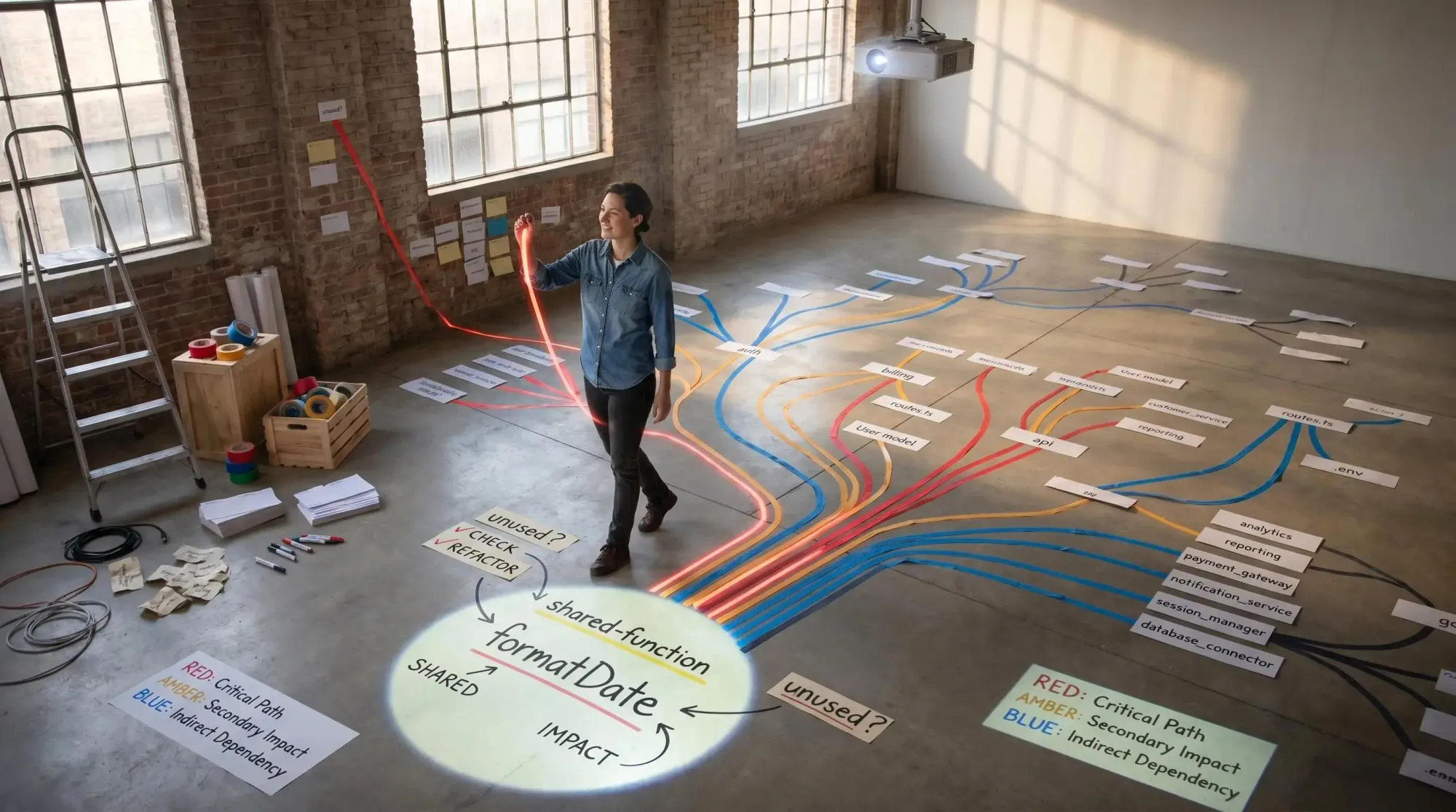
Each tool answers a different class of question. Mixing them up wastes time.
Grep is fast and still worth using. But it's weak for resolved relationships. It happily returns comments, strings, dead symbols, and same-name collisions.
Vector retrieval is good for semantic similarity. It can find related concepts or implementation patterns. It is not a dependable answer to "who actually calls this?" or "what truly depends on that package?"
Full-context prompting has its own trap. Even when token capacity is large, structure gets flattened into text. You pay for volume and still risk attention drift. We've seen sessions that pull 40K tokens of surrounding code when 2K tokens plus a graph query would have given a better answer.
The right mental model is boring and effective:
- graphs answer structural questions
- source files answer behavioral and semantic questions
- tests and linting validate that the change still works
For the validation side, the open source AI Code Quality Framework is a useful companion for linting, tests, and policy checks after graph-guided navigation.
How to Introduce a Code Graph Into Real Developer Workflows
Don't start by modeling everything. Start with one painful workflow.
Good candidates:
- risky refactors
- dependency upgrades
- assistant-led edits in shared modules
Then standardize a few high-value queries:
- callers
- reverse dependencies
- transitive impact
- dead code candidates
- shortest dependency path
For this audience, MCP matters because it lets the assistant query the graph inside the coding session. You stop manually translating architecture into prompts and start giving the assistant direct access to structure.
Rollout should match team shape. A solo developer in a medium repo can get value from a local CLI and a few prompt habits. A platform team in a monorepo usually needs function-level impact and module boundary views. A larger org with multiple services needs cross-service contracts and shared query surfaces.
Keep process light:
- before edit, ask what depends on this
- before merge, check impact and dead code
- after refactor, verify cleanup opportunities
Pharaoh is one way to do this. We map software architecture into a living knowledge graph so AI assistants can reason about dependencies, blast radius, existing code, and dead code before making changes. If you're using Claude Code, you can add graph context through MCP instead of treating architecture as a separate analysis project. Pharaoh does this automatically via MCP at pharaoh.so.
What to Look for in a Code Graph for Developers
A pretty graph is not the goal. A useful one gets consulted during real change decisions.
Check for fit in a few areas:
- language and framework coverage that matches your actual stack
- function-level and type-level detail, not just file maps
- CLI for local use, MCP for assistants, API for internal tooling, CI output for teams
- structural modeling for imports, calls, inheritance, instantiation, interfaces, and references
- support for dead code and impact analysis
- preserved unresolved edges instead of fake certainty
- multi-module and multi-repo awareness
- privacy and deployment choices that your team can live with
The best code graph for developers is the one people actually use before editing shared code. Not the one with the nicest architecture screenshot.
Common Mistakes That Keep Graph-Based AI Work From Paying Off
Most failures here are not technical. They're workflow failures.
Teams often treat the graph as a replacement for reading code. It's not. It's a map for reading the right code.
Other common mistakes show up fast:
- building only a call graph and assuming that's architecture
- ignoring tests, configs, routes, and other non-code dependencies
- letting the graph go stale after initial indexing
- making graph access awkward inside assistant workflows
- using retrieval-first prompts for dependency-first problems
- hiding uncertainty by dropping unresolved edges
One subtle mistake is assuming tool availability means tool usage. Research showed that even when a graph tool was available, many trials skipped it. The performance gains came from actual graph-guided navigation, not from the mere presence of a graph.
That sounds obvious. In practice, it isn't.
A Practical First Week Plan for Using a Developer Knowledge Graph
If you want this to become normal, keep the first week concrete.
Day 1
Build or connect a graph for your main repository. Verify a few functions, modules, and imports you already know. Trust starts with spot checks.
Day 2
Connect the graph to your assistant workflow through MCP or a nearby CLI. Build one prompt habit: before editing, ask for callers, reverse dependencies, tests, and likely blast radius.
Day 3
Run a diff-impact check on a live branch. Compare the output with your own assumptions. This is usually where people realize how much hidden structure they were carrying by instinct.
Day 4
Use the graph during a PR review or refactor cleanup pass. Look for dead code, hidden consumers, and package edges that weren't obvious from the diff.
Day 5
Write down the three to five queries that changed your decisions. Turn those into a lightweight team checklist for assistant-led changes.
If your team wants the software-architecture-to-knowledge-graph step handled for assistant workflows, Pharaoh is one path to getting there without building the graph layer from scratch. More at pharaoh.so.
Conclusion
Confidence in AI-assisted development comes from architectural truth, not longer prompts or more aggressive autocomplete.
A code dependency graph makes hidden relationships visible. It clarifies blast radius before edits. It helps surface dead code after changes. It gives you and the assistant a shared map of the system instead of two different guesses.
Pick one risky change this week and answer three questions with a graph before you edit anything:
- who depends on this
- what else could break
- what might become removable after the change
AI is not a reckless intern when it can reason from the real shape of the codebase. It becomes a more dependable partner when both of you can actually see the system clearly.