Dead Code Definition: The Essential Guide for Engineers
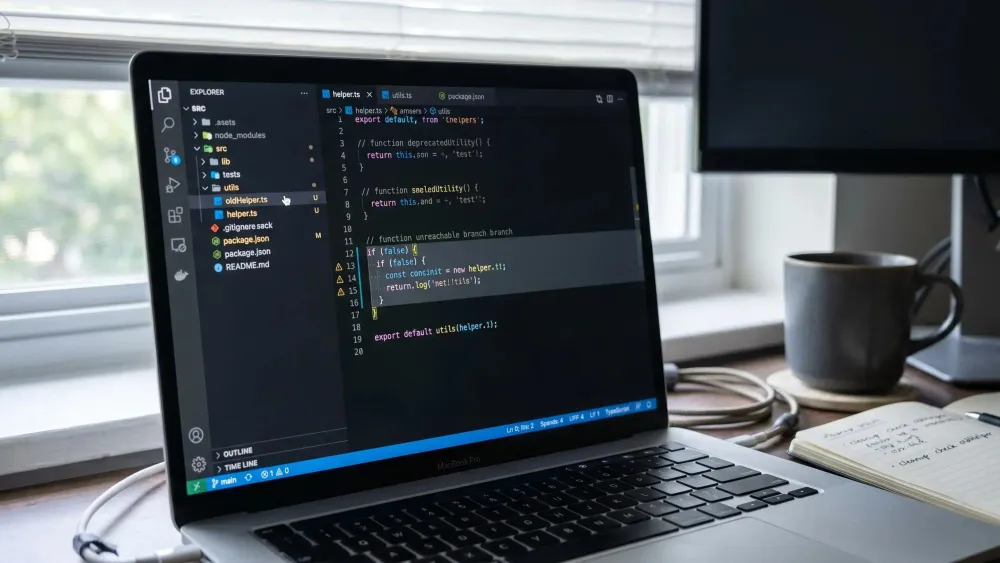
If you're using Claude Code or Cursor in a multi repo codebase, a dead code definition based on nobody calling it will get you in trouble. You delete a helper, miss a runtime path, and auth or billing starts doing something weird.
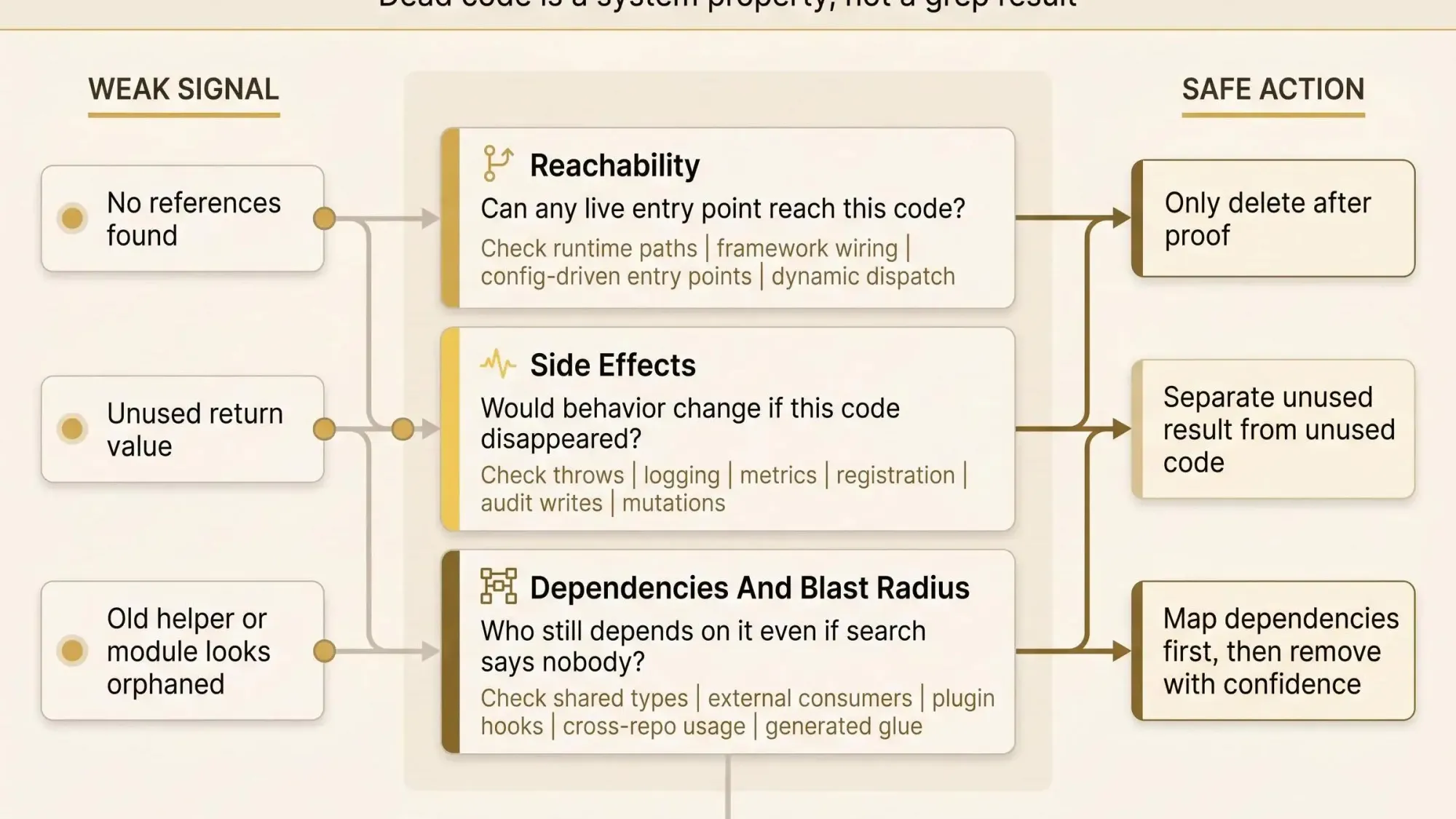
What matters is reachability, side effects, and who still depends on the code when grep says nothing. You need a method that holds up in PR review, not a hunch. Start here:
- Check live entry points before you trust references
- Separate unused results from unused code before removing
- Map dependencies and blast radius first, then delete with confidence
Why This Question Feels Risky in Real Codebases
You're in a refactoring sprint. Or a monorepo migration. Or halfway through a Claude Code session where an old helper looks unused, but it sits next to payment flow code and shares types with auth. Nobody wants to be the person who deletes the wrong thing.
That anxiety is rational. A plain text search can miss runtime wiring, dynamic dispatch, config-driven entry points, or side effects hiding behind an ignored return value. Code that looks dead can still matter. Code that looks alive can be pure noise.
The shift we want is simple: dead code is not a guess based on grep results. It's a property of the system. You can reason about it through control flow, data flow, dependencies, and runtime relevance.
We'll define it clearly first, then break down the types, show real examples, explain how dead code accumulates, and end with a practical method for deciding what you can remove safely.
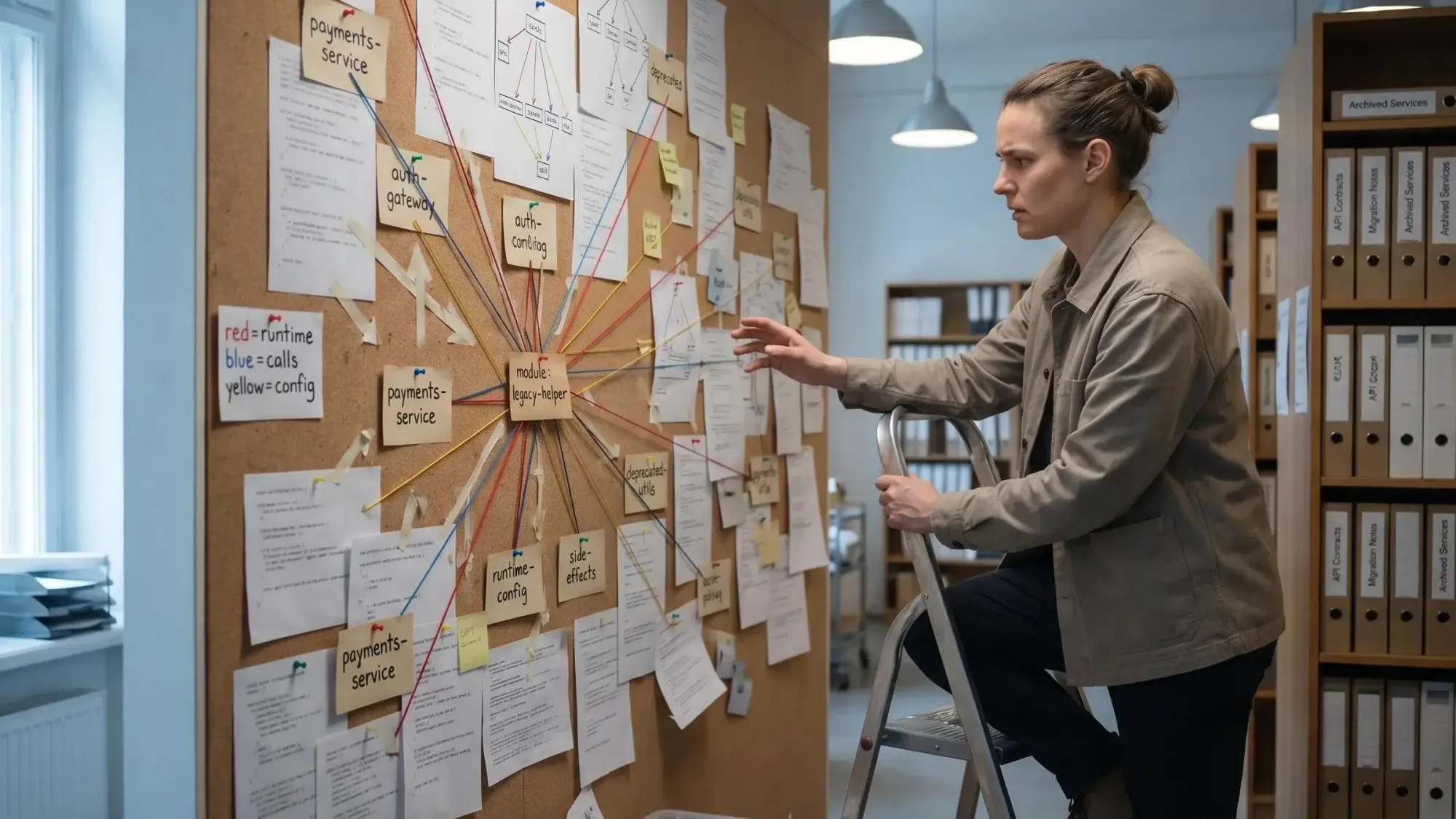
What Dead Code Actually Means
In plain engineering terms, dead code is code that does not affect the program's real behavior or outcomes.
That sounds obvious until you hit the edge cases. In practice, the dead code definition covers several accepted meanings:
- Code that can never execute at runtime
- Code that does execute, but whose result is never used
- Functions, classes, branches, or modules that no real path reaches
Most engineers deal with dead code in source repositories, not just dead instructions in compiler output. That's the useful frame here. We care about the code your team reads, reviews, edits, and feeds into AI tools.
The unused code meaning is close but slightly narrower in day-to-day repo work: code remains in the codebase even though no meaningful execution path or consumer depends on it. Sometimes it's fully unreachable. Sometimes it's callable in theory but irrelevant in reality.
And yes, dead code definition is broader than code after a return. That's the kindergarten version. Real codebases are messier.
If the system would behave the same after removal, you're probably looking at dead code.
Dead Code Is Not Just One Thing
This is where engineers get tripped up. "Dead code" sounds singular, but it shows up in different forms, and each one needs a different proof.
Unreachable code
This is the easiest category to spot:
- Statements after unconditional
returnorthrow - Branches guarded by conditions that are always false
- Paths no feasible control flow can enter
Tools catch a lot of this. Humans still leave it behind during rushed edits.
Unused definitions
These are functions, methods, classes, interfaces, or whole modules with no live callers.
Internal definitions are easier to prove dead. Public APIs, plugin hooks, and framework entry points are not. An exported symbol with zero in-repo references might still be live outside your search surface.
Dead variables and dead computations
A dead variable is written and never read again. Common examples are temp values left behind after a refactor, parameters that drifted out of use, or debug state that nobody removed.
A dead computation is trickier. Work runs, but its result is ignored. That sounds removable until you remember side effects.
Commented-out code, stale flags, test remnants
Commented-out code isn't executable, but it's still dead clutter. It competes for attention and invites second guessing. The same goes for obsolete feature-flag branches and test-only scaffolding that makes production-dead paths look alive.
A few orphaned code examples engineers recognize right away:
- A
processOrderV1()helper left behind after a v2 rewrite - An interface implementation that is never instantiated
- An old module preserved after a service boundary changed
We've seen all three survive for months because nobody wanted to be wrong.
Dead Code vs. Similar Terms Engineers Often Confuse
Precision matters here because the proof changes with the term.
Unreachable code is a subset of dead code. If no control-flow path can enter a line, it's unreachable and dead. But dead code can also be executed work whose output doesn't matter.
Deprecated code is different. Deprecated code may still have active callers. It might be scheduled for removal, but it is not dead yet. Treating deprecation as proof is how teams break consumers they forgot existed.
Dormant code is another trap. Seasonal workflows, disaster recovery paths, admin routes, or migration utilities can look inactive for months. Rarely used is not the same as dead.
Private code with external entry points is where local certainty goes to die. Libraries, reflection-based handlers, framework conventions, generated routing, and plugin systems often bypass obvious call sites. If you only search for references, you'll miss live behavior.
You'll also see a lot of codebase cleanup terminology around this work:
- Dead code removal: deleting code proven irrelevant
- Dead-code elimination: compiler or tooling removal of provably irrelevant instructions
- Unreachable code analysis: proving paths cannot execute
- Liveness analysis: checking whether values or paths still matter
- Code pruning: deliberate cleanup of stale branches and definitions
- Deprecation and removal: a staged process for public or shared interfaces
- Code archaeology: figuring out why suspicious code still exists
The naming matters because the way you prove a branch is unreachable is not the way you prove a value is never used.
The Important Caveat: Dead Does Not Always Mean Safe to Remove
Here's the classic trap:
const x = a / b;return defaultValue;If x is never read, the computation may still matter. If b can be zero, removing that line changes behavior because the exception disappears. The output didn't matter. The side effect did.
Same pattern shows up with:
- Logging, metrics, tracing, audit writes
- Framework registration code
- Reflection and dynamic dispatch
- Code loaded through config, naming conventions, or runtime discovery
Compilers and static analyzers are conservative for a reason. Dead-code elimination depends on certainty about side effects, not just unused outputs.
This is the operator mindset we care about: safe cleanup requires proof of irrelevance in context, not confidence alone.
"Nobody calls it" is not proof. It's the start of the investigation.
Why Dead Code Accumulates in Healthy Teams Too
Dead code doesn't only show up in neglected codebases. Healthy teams produce it constantly.
Feature evolution is the big one. A new implementation lands, old paths stay behind, and nobody gets a clean deletion window. Incomplete refactors do the same thing. Callers move, wrappers remain, extraction happens, the original helper survives.
Other common sources are less dramatic:
- Abandoned experiments and prototype paths
- Defensive "just in case" branches or helpers
- Feature flags that become permanently on or off
- Multi-module and multi-repo drift where ownership gets fuzzy
- Test scaffolding that still references production-dead code
- AI-assisted development that adds valid but unnecessary helpers, imports, and branches
That last one matters more now. Generated code often compiles cleanly while adding semantic debris. By the second afternoon of a larger AI-assisted refactor, you can have 15 unused imports, three duplicate helpers, and one fallback path nobody asked for.
Some dead code stays because deletion needs coordination across teams, repos, or release cycles. So it lingers. Not because people are careless. Because cleanup rarely wins the scheduling argument.
Why Dead Code Matters More Than Most Teams Admit
Most teams treat dead code as cleanup debt. We think that's too small a frame. It's also understanding debt.
Every extra branch, helper, or module increases cognitive load. During review, you have to read it, model it, and decide whether to trust it. That wasted effort compounds.
It also slows refactors. Dead code widens perceived blast radius and creates false work during migrations, API changes, and type moves. Engineers end up preserving obsolete patterns because they can't quickly prove those patterns are irrelevant.
Then there are the quieter costs:
- Coverage and complexity metrics get noisier
- Build, startup, or bundle size can grow depending on the stack
- Security review gets harder because stale routes and handlers still exist
- AI assistants spend tokens reasoning about irrelevant files and outdated implementations
We've seen sessions where an assistant pulled 40K tokens of surrounding context when 2K would have been enough if the dead modules were already gone. Bad context doesn't just waste money. It bends the answer.
Dead code is not harmless clutter. It changes how humans and machines understand the system.
Real Examples That Make the Definition Concrete
A few small examples make this less abstract.
Unreachable statement
function status() { return "ok"; const debug = "never runs";}This is the simplest form. Tools usually catch it immediately.
Dead variable
function total(items: Item[]) { const count = items.length; return items.reduce((s, i) => s + i.price, 0);}count is assigned and never read. Compilers can often reclaim this. Humans still had to read it.
Dead computation with side-effect risk
function handler(user: User) { validateUserOrThrow(user); return "accepted";}If the result of validateUserOrThrow is ignored, that doesn't mean the call is dead. It may throw. Removal changes behavior.
Always-false debug branch
const DEBUG = false;if (DEBUG) { verboseTrace(state);}If that flag is effectively constant in all builds, the branch is dead. Easy win.
Interface and dynamic dispatch
A type can implement an interface and still be dead if nothing ever instantiates it. That's one reason text search is weak. You may find the interface, the implementation, and some tests, yet still have no live production path.
Common orphaned code examples in real repos:
- A legacy processor kept after a new pipeline replaced it
- A duplicated utility function left behind after a module split
- A migration adapter that stayed after all consumers moved off it
These aren't exotic cases. They're normal residue.
How to Tell Whether Code Is Truly Dead
You need a proof mindset. Ask two questions:
- Can any live entry point reach this code?
- Do this code's effects matter if it does run?
Start with static signals:
- Compiler warnings about unreachable code or never-used variables
- IDE hints for unused members
- Reference and call-graph analysis for internal code
Then move into control flow. Can any path reach the branch? Is the condition constant, or effectively constant because of config and build settings?
After that, check data flow. Is the value ever read? Does the computation influence any live output, state change, exception path, or observable behavior?
Runtime evidence helps, but keep your standards straight. Test coverage can show untouched code. Lack of coverage is not proof of deadness. Production telemetry, request logs, and usage data are stronger, especially for risky removals.
The hard cases deserve explicit checks:
- Reflection
- Plugin systems
- Framework callbacks
- External APIs
- Config-driven behavior
- Generated code
A practical litmus test we use:
If you can't name the entry point, dependency chain, and side effect that make the code matter, it's a candidate.
And if the only defense is "we might need it later," that belongs in version history, not the main path.
Why Architecture Context Beats Grep When You Are Making Cleanup Decisions
File-level search breaks down fast in multi-module and multi-repo systems. Indirect calls, shared abstractions, generated glue, and cross-service dependencies hide the real shape of the codebase.
During PR review or AI-assisted refactoring, the useful question isn't "does this symbol have references?" It's "what depends on it, what breaks if it moves, and what else becomes irrelevant if we remove it?"
That's where knowledge-graph thinking helps. Map entities, call paths, ownership, dependencies, and blast radius. Dead code starts to show up as disconnected or non-influential structure instead of a suspicious snippet somebody is afraid to touch.
At Pharaoh, we built this because local reasoning kept failing in large repos. Pharaoh maps software architecture into a knowledge graph so engineers and AI coding assistants can reason about dependencies, existing code, blast radius, and dead code before making changes. If that's your problem, Pharaoh does this through MCP at pharaoh.so.
The payoff is emotional as much as technical. Cleanup stops feeling like gut feel. It starts feeling like system reasoning.
How AI Coding Assistants Change the Dead Code Problem
If you're using Claude Code, Cursor, Codex, or another MCP client, AI changes both the speed and the risk.
The upside is real. AI can summarize suspicious modules, flag likely removals, and prep refactoring work quickly. It can save hours in the first pass.
The risk is also real. Without architecture context, AI will often treat orphaned-looking code as safe to delete, or keep dead patterns alive because they appear in the local files it can see. Large repositories make this worse. The assistant may inspect a narrow slice and miss the actual live dependency chain.
Dead code also pollutes model context. Irrelevant branches and stale implementations compete with the code that actually matters. The assistant doesn't know what your system forgot to delete.
The better workflow is simple:
- Give the assistant a structural map of the codebase
- Ask it to reason about callers, side effects, and blast radius
- Treat suggested deletions as hypotheses until verified
If you're already working through MCP, adding a codebase graph gives the assistant a much stronger basis for judging whether suspicious code is actually dead. That's one of the practical uses for Pharaoh in larger repos.
A Safe Workflow for Dead Code Removal
Make this repeatable. Cleanup should not depend on one brave engineer.
- Detect
Gather candidates from compiler warnings, IDE hints, coverage gaps, stale flags, unused-module reports, and AI-generated cleanup suggestions. - Verify
Confirm reachability, consumer paths, side effects, and external entry points. Check tests, config, runtime wiring, and framework behavior. This step is where most sloppy deletions fail. - Remove
Delete the smallest proven-dead unit first. A dead local variable is a better first PR than a vaguely suspicious package. - Validate
Run tests. Inspect build output. Watch runtime behavior and telemetry if the path touches critical business logic.
For public APIs, shared libraries, or code with uncertain downstream consumers, deprecate before deleting. That's not caution theater. It's basic respect for hidden dependencies.
A few team habits help a lot:
- Batch obvious dead locals, imports, and unreachable statements
- Isolate riskier structural removals into focused PRs
- Record why a path was removed so it doesn't crawl back in during the next rewrite
The open source AI Code Quality Framework covers linting and testing side of this at github.com/0xUXDesign/ai-code-quality-framework.
Common Mistakes That Turn Cleanup Into Incidents
Most bad deletions are not caused by aggressive cleanup. They are caused by shallow reasoning.
Common failure modes:
- Equating no references with no runtime use
- Trusting test coverage alone as proof
- Removing unused-looking computations without checking side effects
- Ignoring reflection, dynamic dispatch, and framework registration
- Deleting flagged code without confirming flag state across environments
- Forgetting external consumers of libraries, SDKs, or public endpoints
- Keeping commented-out code because someone might need it later
- Asking AI to remove suspicious code without broader system context
If you recognize your team in that list, good. That's normal. The fix is better proof, not less cleanup.
A Practical Glossary of Codebase Cleanup Terminology
Use this as a quick reference:
- Dead code: code that does not affect program behavior or outcomes
- Unreachable code: code no feasible control-flow path can enter
- Unused code: code with no live consumers or relevant reads
- Dead variable: a value written but never read again
- Dead computation: work whose result is irrelevant, subject to side-effect checks
- Orphaned code: code left behind after callers, owners, or feature paths moved away
- Blast radius: the set of components, behaviors, or teams a change might affect
- Liveness analysis: reasoning about whether values or paths still matter
- Dead-code elimination: compiler or tooling removal of provably irrelevant code
- Code pruning: deliberate cleanup of stale branches, modules, and definitions
Short terms. Different proofs. Don't lump them together.
What Good Teams Do Differently
Good teams treat dead code as an architecture signal, not a chore they get to after the sprint.
They review stale flags, old modules, and unused interfaces on purpose. They combine static signals with runtime evidence instead of arguing from intuition. They give AI assistants better context before asking for deletion recommendations.
Mostly, they prefer visibility over heroics. When you can see dependencies and blast radius, cleanup gets routine and safer. That's the philosophy behind how we think about this at Pharaoh: better engineering decisions come from architectural clarity, especially in large codebases where local certainty is often false.
Conclusion
The dead code definition is broader than unreachable lines after a return. It includes irrelevant branches, unused definitions, dead variables, and computations whose outputs don't matter. It also comes with a hard caveat: dead does not always mean safe to remove.
The right way to reason about dead code is through control flow, data flow, side effects, and architecture context. Not gut feel. Not grep. Not vibes from a green test suite.
Pick one suspicious function, branch, or module in your codebase this week. Trace its callers, side effects, and blast radius before deciding whether it's dead. If your team uses AI coding tools on larger repos, give them a codebase graph first so dead code analysis starts from structure instead of guesswork.