Codebase Knowledge Graph for Faster, Safer AI Coding
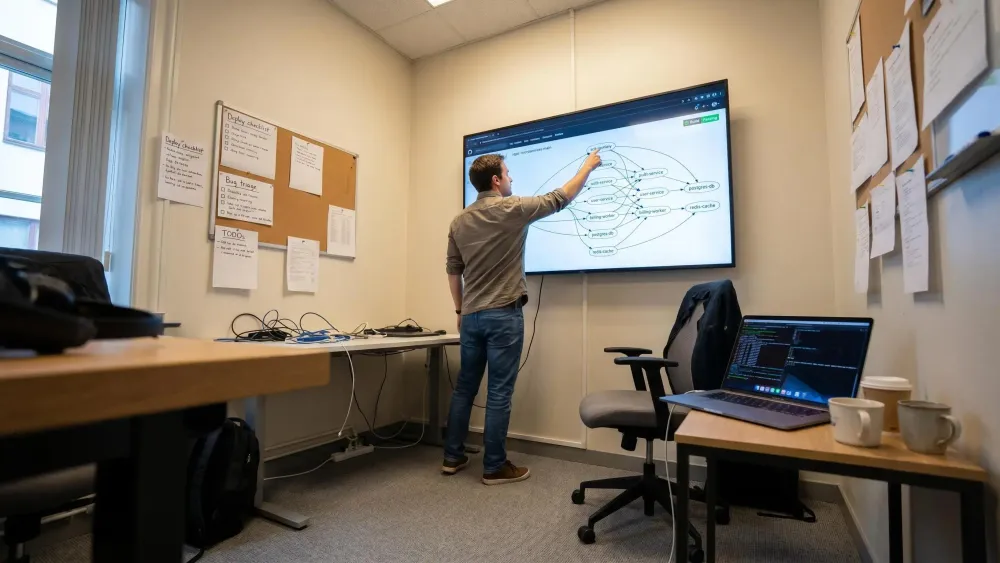
AI assistants move fast, but in real repos they miss the boring edges that break things. A codebase knowledge graph lets you see what a change touches before you trust a clean diff.
What matters is structure, not more tokens. If you use Claude Code, Cursor, or Codex on a monorepo, don't guess at callers, reuse, or dead paths.
Start with three checks:
- Trace blast radius before the edit.
- Look for an existing implementation in the same dependency path.
- Prove a path is unreachable so you can delete it cleanly.
Why AI Coding Still Feels Risky in Real Codebases
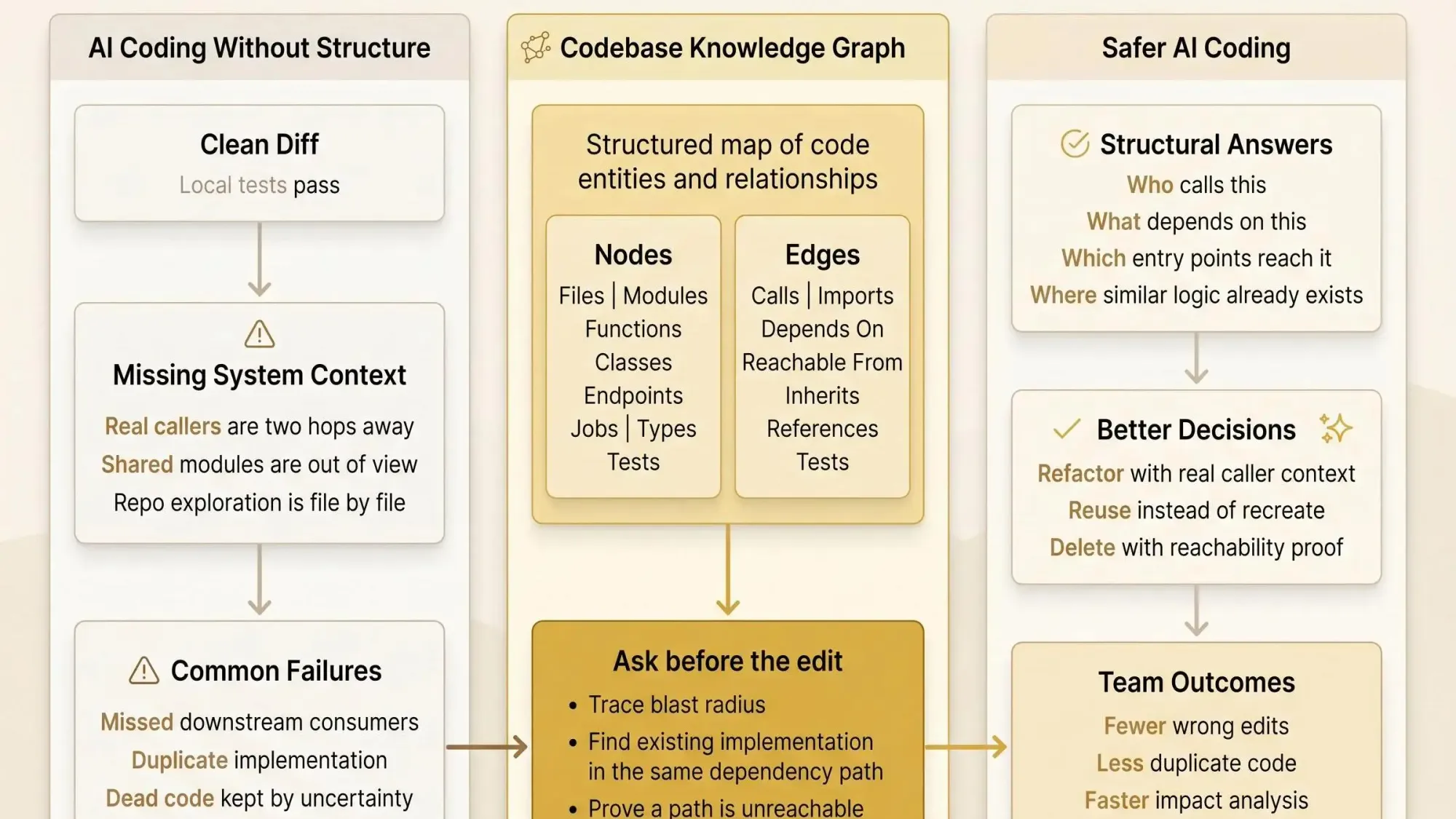
An assistant updates a helper. The diff is tidy. Local tests pass. Two days later, a background job in another module starts failing because the real callers were two hops away and never made it into context. If you've used Claude Code, Cursor, or Codex on a big repo, you've seen some version of this.
That's the tension. AI is clearly good at speed. Trust falls apart when the repo has shared modules, service boundaries, generated clients, old jobs, and just enough history to hide the real dependency path.
The real question isn't whether the model can write code. It's whether it understands the system it's editing.
Big context windows don't fix that by themselves. More tokens only mean the assistant can read more. They don't tell it which files matter, which symbols are central, or which change will ripple across six packages and three services. We've seen assistants spend 40K tokens just orienting themselves, then still miss the one downstream consumer that matters.
The failure modes are boring because they're common:
- duplicated logic because the assistant never found the existing implementation
- breaking changes because downstream callers were missed
- dead code left in place because nobody can prove what's still reachable
- expensive file-by-file exploration just to build a rough mental model
Most teams don't want blind acceleration. They want safe acceleration. That's a different standard.
Fast edits are easy. Safe edits require architecture context.
What a Codebase Knowledge Graph Actually Is
A codebase knowledge graph is a structured map of code entities and relationships, built from the repository so tools can reason about architecture instead of guessing from raw text.
In practice, the graph has nodes and edges. The nodes are things you already care about during a change. The edges are the relationships that decide whether that change is safe.
Nodes might include:
- files and directories
- modules and packages
- functions, methods, and classes
- endpoints and handlers
- jobs and entry points
- types, schemas, and models
- tests
Edges might include:
- calls
- imports and exports
- inheritance
- references
- ownership
- depends-on
- reachable-from
- tests
You can call it a software knowledge graph when the focus is how code entities relate across the system. A knowledge graph for software architecture usually points to the higher-level shape of the system - service boundaries, module cohesion, execution paths, coupling. An architecture graph for developers is the working version: the one you query when you're deciding whether to approve a refactor or delete a module. A graph model of code dependencies is the same idea stated plainly. A knowledge graph for repositories treats the repo as more than folders and files by preserving the relationships between parts.
This matters because it's not a static diagram. It's not a stale slide from an architecture review six months ago. It's a machine-readable model generated from code and kept current as the repo changes.
Once you have that, questions like these stop being search problems:
- what calls this function
- what depends on this module
- what becomes unreachable if we remove this export
- where else does this implementation pattern already exist
They become graph traversal problems. That's a much better place to start.
Why File Reading, Grep, and RAG Fall Short on Structural Questions
Most assistants still work the same way: read a file, grep for references, read another file, infer a local story, repeat. That workflow isn't wrong. It's just expensive and weak on structure.
Text search finds mentions. It does not reliably trace transitive dependencies. Reading a handful of nearby files gives local context, not system context. Semantic retrieval can find similar-looking code, but similarity is not the same as dependency or reachability. That's the crack teams keep falling through.
Here's the practical split:
- embeddings answer: what looks related
- graphs answer: what is actually connected
That distinction shows up fast in real questions:
- What breaks if we change this function signature?
- Which services are touched if this schema changes?
- Which endpoint paths reach this module?
- Is there already an implementation pattern for this elsewhere in the repo?
Those aren't text questions. They're structure questions.
Research on graph-based repository reasoning makes the tradeoff clear. A graph-first system tested across 31 real repositories produced lower quality overall than a full file-exploration agent, but it used about 10x fewer tokens and 2.1x fewer tool calls. For graph-native tasks like hub detection and caller ranking, it matched or beat the explorer on 19 of 31 languages.
That's a useful result, not a disappointing one. Raw exploration still has a place. But using raw exploration first for dependency and blast radius work is often backwards. You pay the orientation tax before you even know where to look.
The Questions a Software Knowledge Graph Lets AI Answer Before It Edits
Before you approve an AI change, you usually want a small set of answers. Not a novel. Just enough to know whether the assistant is operating inside the real shape of the system.
A software knowledge graph helps answer the questions that actually matter:
- caller and callee analysis for a function or method
- impact analysis for a proposed change
- upstream and downstream dependency tracing
- duplicate or near-duplicate implementation discovery across modules
- dead code and unreachable export detection
- endpoint-to-handler-to-service path tracing
- hub detection for risky shared components
- cluster discovery to reveal hidden subsystems and coupling
This is where the order of operations matters. Most code review tools catch problems after code is written. That's backwards. The better move is to ask structural questions before the edit happens.
In day-to-day work, that looks like this:
In a Claude Code session
Before a refactor, ask for all callers, affected modules, and any hub nodes near the target symbol. If the assistant sees that a helper sits under four services and two jobs, it will work differently.
In PR review
When a rename lands, validate that all consumers were touched. A clean diff isn't proof. Reachability and callers are closer to proof.
In monorepo migration work
Use dependency tracing and clustering to see which modules are tightly coupled before you split boundaries. By the second afternoon, this usually tells you where the migration will hurt.
In cleanup and refactoring sprints
Surface dead code and duplicate implementations early. Teams waste a lot of time polishing code that should have been deleted or reused.
The point isn't just faster answers. It's better judgment about whether a change is safe, needed, or already solved elsewhere.
What Goes Into a Knowledge Graph for Repositories
A good knowledge graph for repositories isn't magic. It's a pipeline.
The core pieces are pretty consistent:
- AST parsing to identify symbols and syntax structure
- relationship extraction to turn code facts into edges
- graph storage for efficient querying
- incremental updates so the graph stays fresh after each commit
- agent delivery through MCP or another interface
Tree-sitter shows up a lot for a reason. It's become the standard parser for code intelligence work, it supports incremental parsing, and one research system used it across 66 languages. Mixed-language repos aren't a corner case anymore. They're normal.
At a minimum, the graph should capture entity types like:
- files and directories
- functions, methods, classes
- imports and exports
- types and schemas
- endpoints, jobs, entry points
- tests and what they cover when available
- package and service boundaries
And for AI coding, these relationship types matter most:
- defines
- calls
- imports
- inherits
- references
- depends on
- reachable from
- tests
The best graph is not the biggest graph. It's the one that captures the relationships that change engineering decisions.
How a Knowledge Graph for Software Architecture Is Built
Under the hood, the build flow is straightforward once you strip away the noise.
Step 1: Parse the repository
Start by turning code into syntax trees. Extract functions, classes, modules, imports, signatures, and type data where the language supports it. Then normalize across languages so similar questions can be answered consistently.
Step 2: Resolve relationships across files
Connect imports to real symbols. Link method calls to likely receivers. Trace inheritance, composition, and package boundaries. This part is messy in dynamic codebases, but even partial resolution is better than pretending files are independent.
Step 3: Identify higher-level structure
Find entry points and service boundaries. Build call chains from routes, jobs, or handlers. Cluster related symbols into communities so hidden subsystems start to show up. This is where a knowledge graph for software architecture becomes more than symbol indexing.
Step 4: Persist it and update incrementally
Store the graph somewhere query-friendly, then re-parse only what changed. Without this, the graph becomes stale or too slow to trust during active development.
Step 5: Expose it to AI tools
Serve targeted queries through MCP so the assistant doesn't have to reconstruct the repo from scratch every session.
Without persistence, the assistant pays the same orientation tax again and again. Teams feel this even when they don't name it.
Static Analysis Is the Foundation, but Not the Whole Story
Experienced engineers usually raise the right objection here: static analysis doesn't always reflect production truth. Correct.
Static graphs are strong on:
- imports
- symbol definitions
- call possibilities
- inheritance
- package structure
- likely impact zones
They are weaker when runtime behavior depends on:
- configuration
- dependency injection
- dynamic dispatch
- reflection-heavy frameworks
- environment-specific branching
Static analysis tells you what the code can do. It doesn't always tell you what the system does under real runtime conditions.
The mature way to use a software knowledge graph is as an architecture backbone. Then, when your environment supports it, enrich it with runtime traces, API logs, test coverage, ownership, or deployment metadata.
A static-first graph isn't perfect. It is still a major upgrade over file-by-file guessing. Most teams don't need perfection first. They need fewer avoidable mistakes.
How AI Assistants Use an Architecture Graph for Developers
An architecture graph for developers changes the assistant's workflow before it changes the code.
Instead of opening files one by one, the assistant can ask targeted structural questions first. Then it reads only the files on the critical path. That sounds small. It isn't.
A better workflow looks like this:
- Before renaming a symbol, ask for all callers and affected modules.
- Before adding a helper, search for existing patterns and similar functionality in the same architectural neighborhood.
- Before deleting code, check whether the path is reachable from any real entry point.
For MCP users, this matters a lot. The graph becomes a reusable context layer for Claude Code, Cursor, Codex, and other MCP clients. The assistant gets structured answers instead of trying to infer architecture from text alone.
That persistence layer matters too. Research calls out the value clearly: a graph-backed memory layer stops the assistant from re-learning the same repo every session.
Pharaoh is one way to do this. We map software architecture into a knowledge graph so AI assistants can inspect dependencies, blast radius, existing code, and dead code before they edit. If you're already working through MCP, Pharaoh does this automatically via pharaoh.so. It's not about replacing your judgment. It's about giving the model the system view it was missing.
The Highest-Value Use Cases for Teams Shipping with AI
The best use cases are not abstract. They're the moments where a bad edit costs real time.
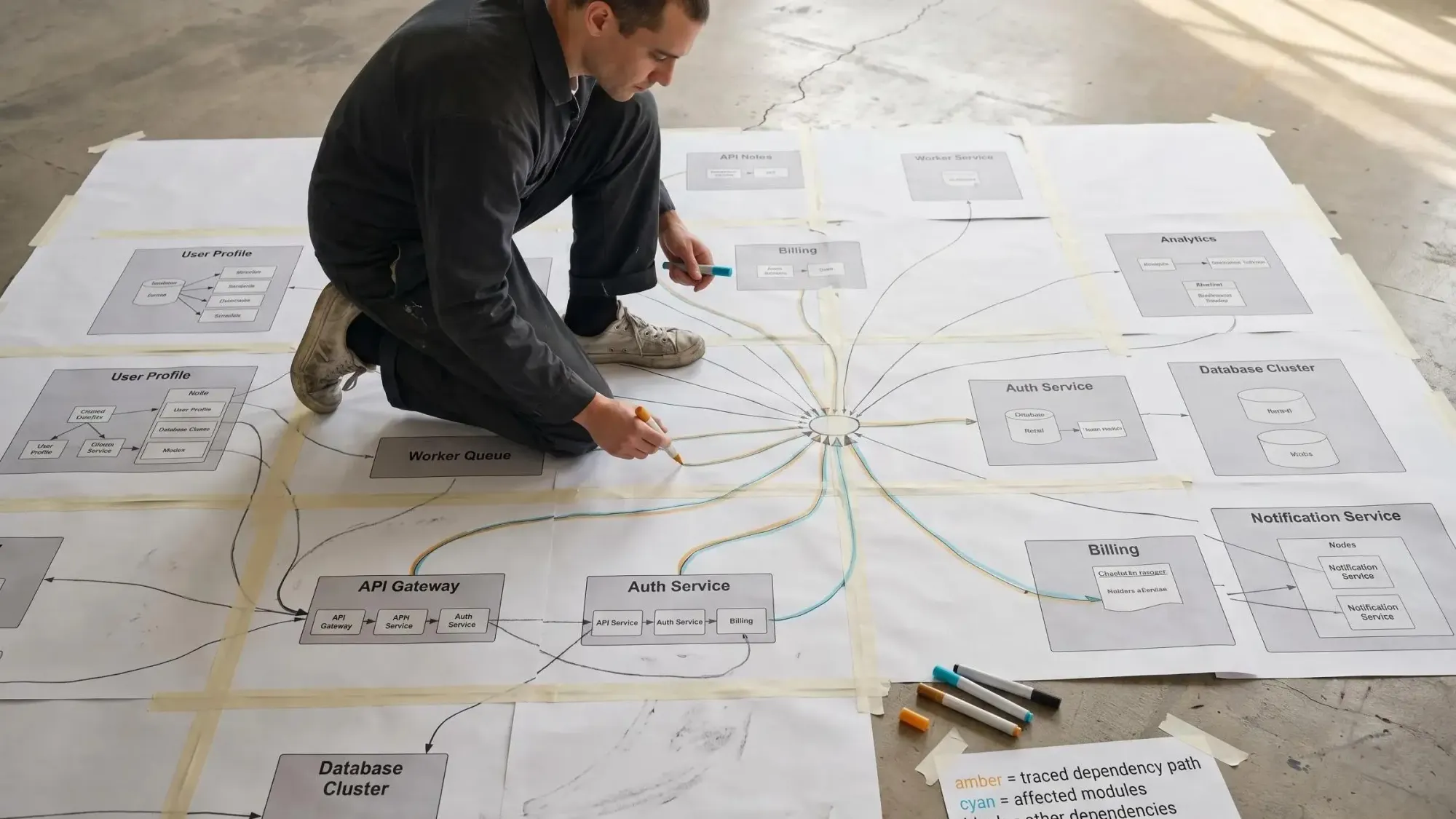
For refactors with shared dependencies, a graph helps you rename or reshape a utility without guessing about transitive callers. Shared modules are where confidence usually disappears first.
For feature work in large repos, the graph helps you find an existing implementation pattern before the assistant creates a parallel one. We've seen teams find the same logic duplicated across six modules because the model never saw the earlier version.
For dead code cleanup, reachability matters. Not "grep says maybe unused." Actual paths from production entry points. That's the difference between a cleanup PR and a rollback.
For PR review and risk analysis, hub detection is underrated. A high-degree node deserves extra review even when the diff is small. Tiny changes near central components often carry the biggest blast radius.
For monorepo and multi-repo architecture work, clustering and dependency hotspots show where boundaries are weak and where migrations will hurt most.
And for onboarding, both human and agent, a queryable map beats tribal knowledge every time. New engineers don't need another diagram. They need answers.
What Good Output Looks Like From a Codebase Knowledge Graph
Bad output is a raw graph dump. Good output helps you decide.
Useful results usually look like:
- ranked caller lists
- impacted modules by estimated blast radius
- shortest paths from entry points to a symbol
- hub nodes that deserve extra review
- clusters that roughly match real subsystems
A concise dependency trace might look like this:
POST /api/orders -> OrderController.create -> OrderService.submit -> PricingClient.quote -> OrderRepository.saveA dead-code report should be equally direct:
export: buildLegacyInvoice()file: billing/legacy.tsreachable_from_prod_entrypoints: falsetest_references: 0direct_callers: 0confidence: highAnd duplicate discovery should tell the assistant what to inspect next, not just that "similar files exist."
Graph-native output often beats long file dumps because it compresses architecture into something the model can act on quickly. Shorter isn't always better. Structured is.
How to Evaluate Tools and Approaches Without Getting Distracted by Hype
Keep the evaluation boring. Boring is where the truth is.
Check coverage first. Which languages are supported? Does it handle mixed-language repos? Does it recognize the framework patterns your code actually uses?
Then test relationship quality. Can it resolve calls, imports, inheritance, entry points, and package boundaries? Can it answer transitive questions, not just direct edges?
Freshness matters more than most teams expect. If updates aren't incremental, trust drops fast during active development.
For agent integration, ask whether it works over MCP or another interface your team already uses. A beautiful dashboard that never reaches the assistant won't change your workflow.
Query usefulness is the real filter. Can it answer:
- blast radius
- caller ranking
- hub detection
- duplicate discovery
- reachability
Then ask the uncomfortable questions. Does code stay local, or do you have to upload it? Does the tool fit existing reviews, refactors, and coding sessions, or does it create a new platform burden?
Output ergonomics matter too. Results need to be concise enough for LLM context and specific enough for engineers to act on.
If you don't want to build this yourself, Pharaoh is a credible path for teams that want architecture mapped into an MCP-accessible graph without taking on a side project. That's the point of pharaoh.so.
Common Mistakes When Teams Add a Software Knowledge Graph
Most failures here are not technical. They're framing mistakes.
Teams treat the graph like a fancy search index instead of a dependency and architecture model. Or they expect it to replace engineering judgment, which is a fast way to get disappointed.
Other common misses:
- building only a file-level graph when the real questions live at symbol, endpoint, service, or package level
- ignoring incremental updates until the graph goes stale
- assuming static edges are runtime truth
- feeding assistants raw graph dumps instead of scoped queries
- measuring success by index size instead of fewer wrong edits and less rework
- keeping the graph outside real workflows like PR review, refactoring, onboarding, and AI coding sessions
A graph nobody queries during a live decision is just another artifact.
A Practical Rollout Plan for Teams That Want Safer AI Coding Now
Start with one painful workflow you already care about. Shared-library refactors. Endpoint impact checks. Dead code cleanup. Duplicate logic detection. Pick one.
Then build or adopt a graph that can answer four questions well:
- Who calls this?
- What depends on this?
- What is reachable from production entry points?
- Where does similar logic already exist?
Wire it into places engineers already work:
- MCP for AI coding assistants
- PR review checklists
- refactor planning docs
Keep the first success criteria concrete. Fewer blind file reads. Faster impact analysis. Less duplicate code. More confident deletions and renames.
Start with static structure. Add runtime and ownership signals later if you need them. That's usually the right sequence.
If you want to add this to Claude Code or another MCP client quickly, Pharaoh is one approach to make the codebase legible to the assistant without changing how developers already work. And if you're working on code quality more broadly, the open source AI Code Quality Framework covers linting and testing concerns at github.com/0xUXDesign/ai-code-quality-framework.
Conclusion
Faster AI coding does not require more risk. It requires better context.
A codebase knowledge graph turns files into a queryable model of dependencies, reachability, and architectural relationships. That gives assistants a way to reason about blast radius, reuse, and dead code instead of guessing from partial text context. Static graphs aren't the whole story. They're still a major step up from file-by-file exploration.
Here's a useful next step. Pick one recent AI-assisted change that felt risky and ask four questions about it:
- who calls it
- what depends on it
- what path reaches it
- whether equivalent logic already exists elsewhere
If those answers are hard to get today, that's the signal. Your team needs a better architecture context layer, whether you build one or add something like Pharaoh to your MCP workflow.